Checkout
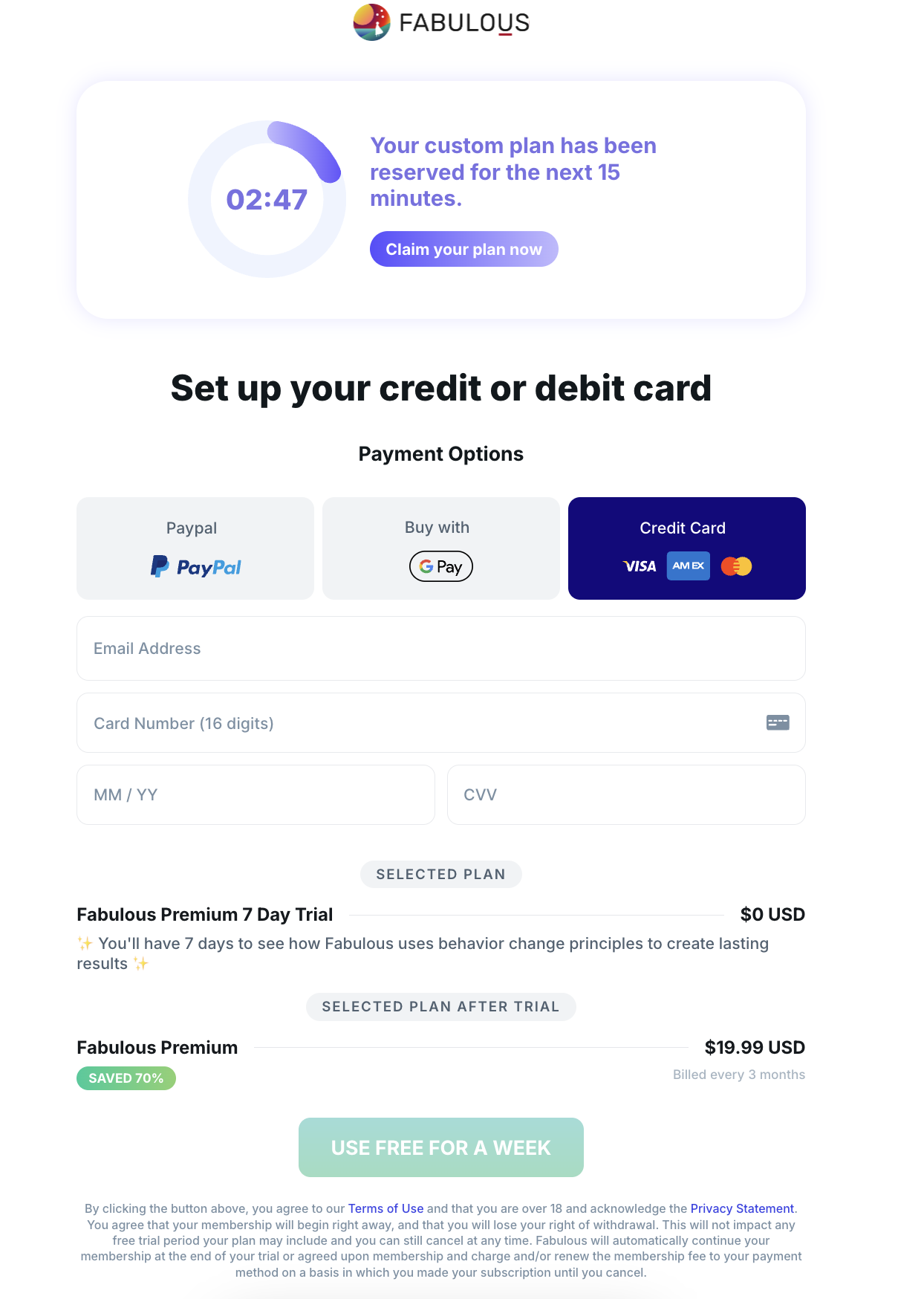
checkout is an onboarding step in the web onboarding to support checkout pages in the onboarding flow with the rest of the steps.
[!IMPORTANT] You can also check [PWYW with a Discounted Offer](PWYW with a Discounted Offer).
| Key | Notes |
|---|---|
type | checkout |
stepId | Unique stepId |
useClassicCheckout | Optional and it’s false by default. Set it to true to change the style of the checkout page to the classic one: 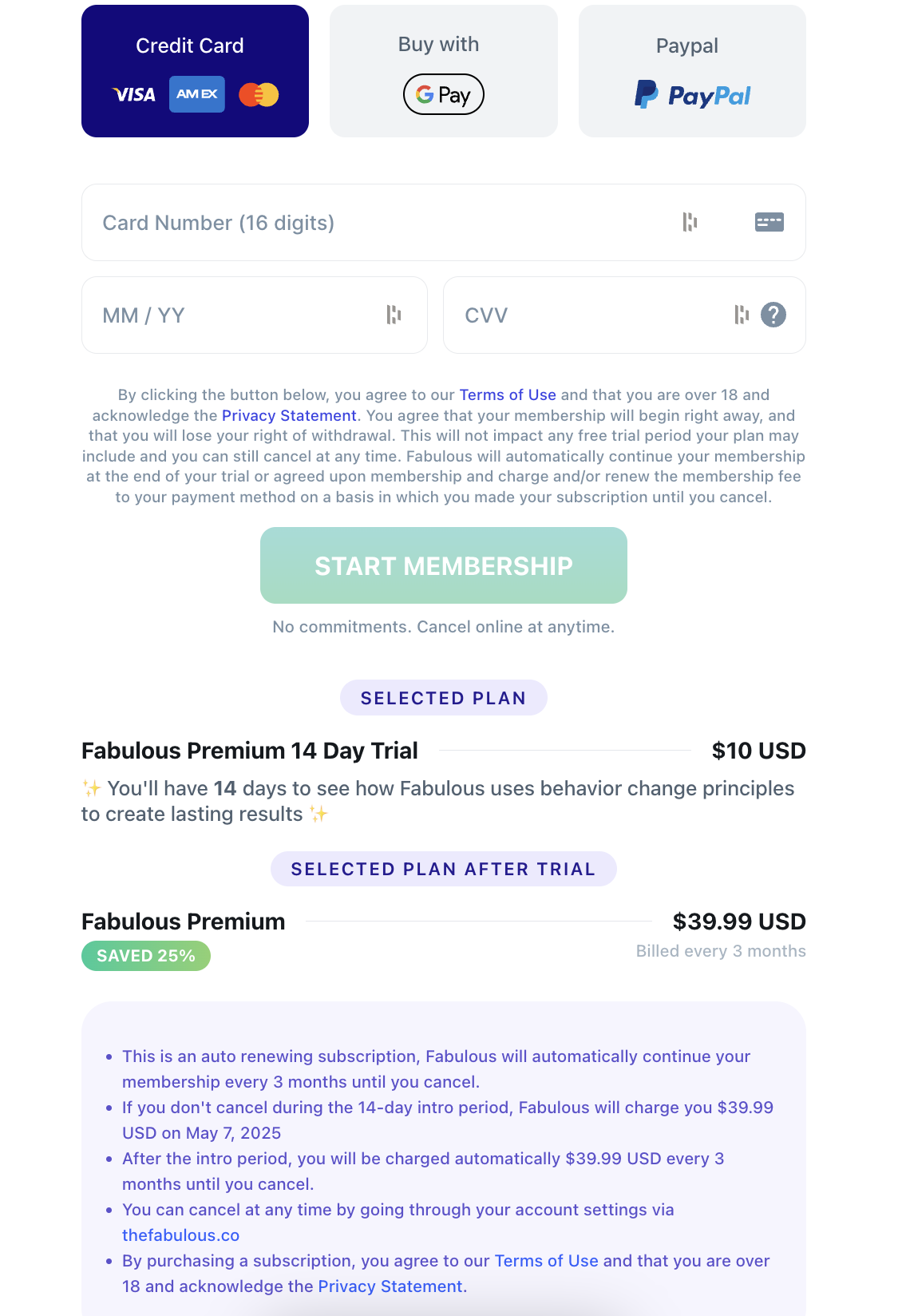 |
logoUrl | The current app logo |
planCode | The plan to use on the step, e.g fab-subs-quarterly-19 |
discount | The discount percentage to show, e.g. 50. |
paymentOrder | The order of the payment options tabs on the step. It’s optional but if it exists:
"paymentOrder": [ "paypal", "google-pay", "apple-pay", "cc" ] This order will show paypal as the first payment tab and cc as the last. |
textColor | The main text color in the step. |
secondaryColor | The secondary text color in the step |
backgroundColor | The background color |
maxWidth | To give a maxWidth to the form container when needed (e.g. maxWidth: 680px) |
timer | The default timer: "timer": { "textColor": "#7871E4", "backgroundColor": "white", "buttonBackgroundColor": "linear-gradient(to right, #574DFF, #BFBAFF)", "buttonColor": "white", "boxShadow": "0 0 20px #5a50ff26", "circlePrimaryColor": "#6455FE", "circleSecondaryColor": "#BFBAFF", "circleBackgroundColor": "#EFF4FF", "ctaText": "Claim your plan now" } 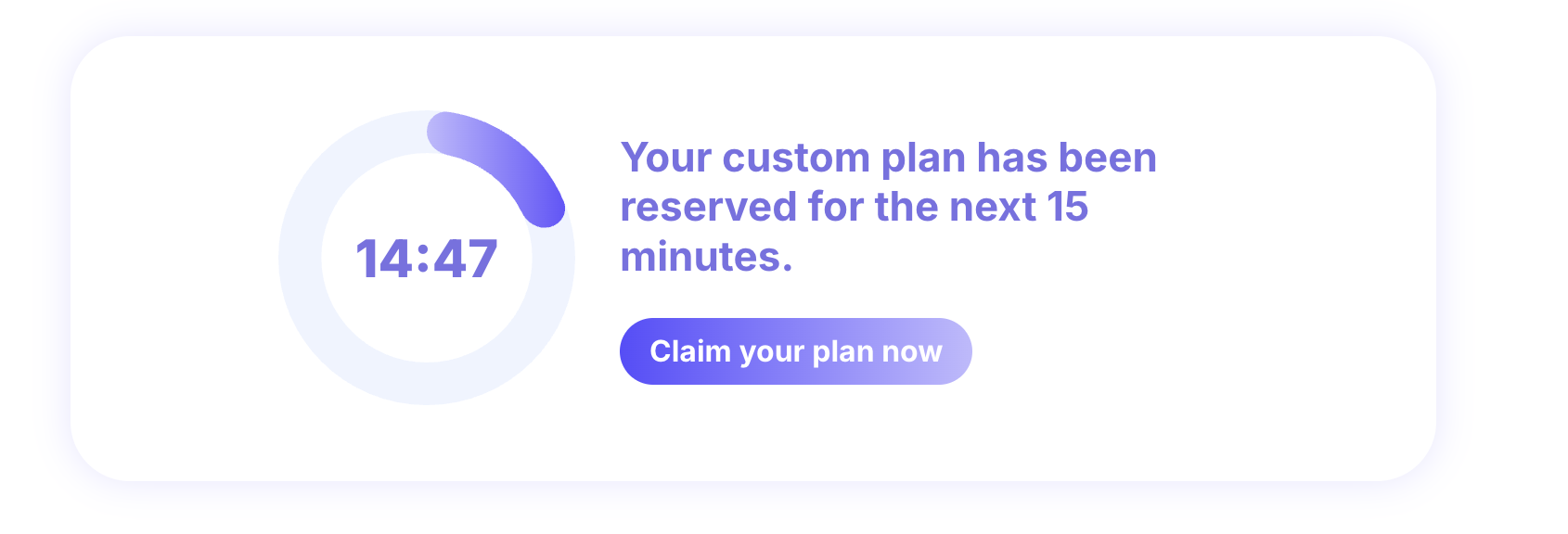 The lock-center timer: The lock-center timer: By default, the timer will look like this screenshot; however, to support the timer with the clock in the center, you can add the type:"lock-center" to the config to give you the timer as the screenshot below: 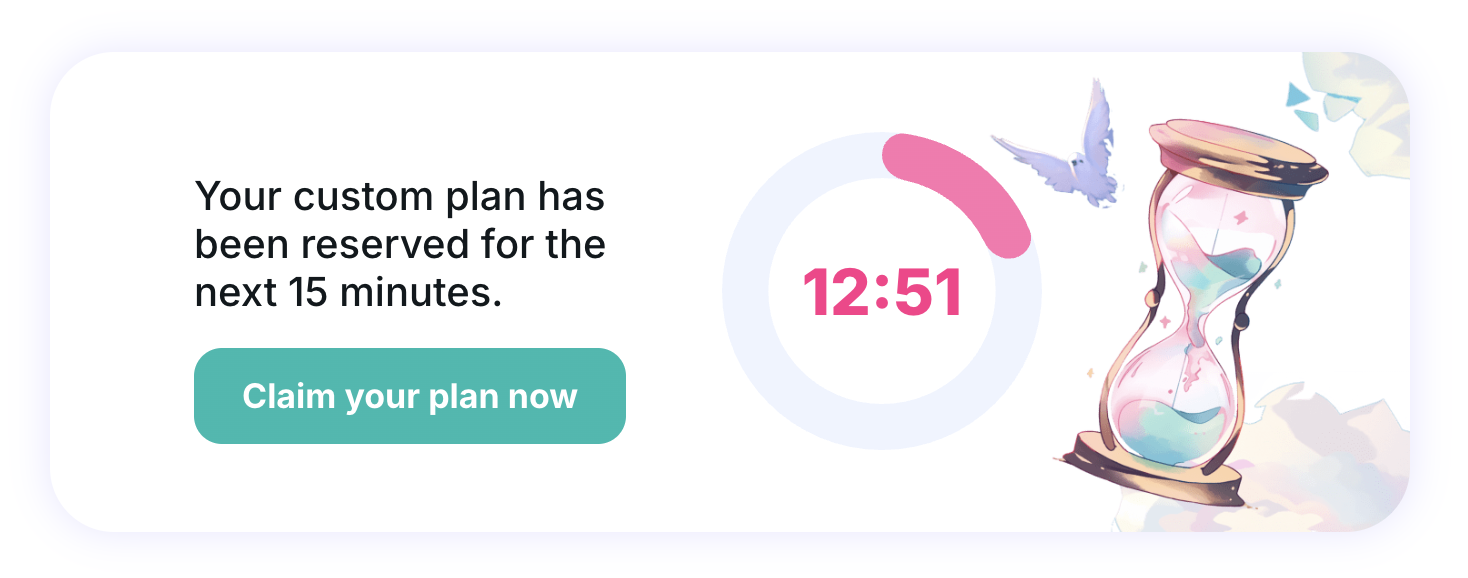 "timer": { "textColor": "#ff348a", "backgroundColor": "white", "buttonBackgroundColor": "#00BAAF", "buttonColor": "white", "boxShadow": "0 0 20px #5a50ff26", "circlePrimaryColor": "#FF74AF", "circleSecondaryColor": "#FF74AF", "circleBackgroundColor": "#EFF4FF", "type": "clock-center", "mobileBackground": "https://c.thefab.co/web-onboarding/time/pwyw-timer-bg-mobile.png", "desktopBackground": "https://c.thefab.co/web-onboarding/time/pwyw-timer-bg.png" }, The fullscreen timer: Another type of timer is the full-screen timer. It accepts a new progressBar styles: "timer": { "type": "fullscreen", "textColor": "#373FC3", "backgroundColor": "#F4F3FF", "buttonBackgroundColor": "linear-gradient(90deg, #373FC3 0%, #BFBAFF 100%)", "buttonColor": "white", "circlePrimaryColor": "#373FC3", "circleSecondaryColor": "white", "circleBackgroundColor": "white", "boxShadow": "0px 0px 20px 0px #6262DD24", "progressBar": { "backgroundColor": "#E1E4FE", "activeBarColor": "linear-gradient(90deg, #373FC3 0%, #BFBAFF 100%)" } }  > [!IMPORTANT] Note: the timer accepts an optional minutes key to change the timer’s initial minutes: "minutes": 10 // number [Timers](Onboarding Templates/Checkout/Timers). |
form | The main form colors: "form": { "placeholderColor": "#7A90A3", "inputColor": "#14191d", "inputBorderColor": "#E8EAED", "ctaBackgroundColor": "linear-gradient(180deg, #00BAAF, #00BA82)", "ctaTextColor": "white", "noCommitmentsTextColor": "#4F6171", "linkColor": "rgb(58, 68, 230)", "cvvHelperIconColor": "#7A90A3", "backgroundColor": "#FFFFFF", "borderRadius": "20px", "paddingX": "16px", "paddingY": "24px" }
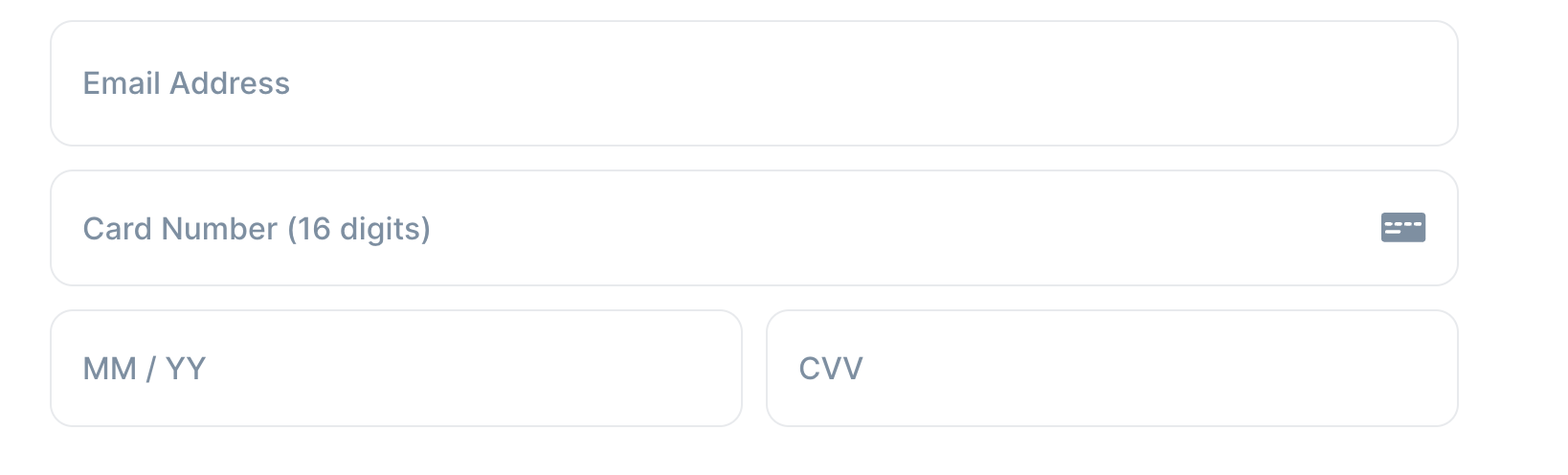  |
tabs | The styles of the payment tabs: "tabs": { "activeTextColor": "white", "textColor": "#4f6171", "activeBackgroundColor": "#130a7e", "backgroundColor": "#f1f3f5" } 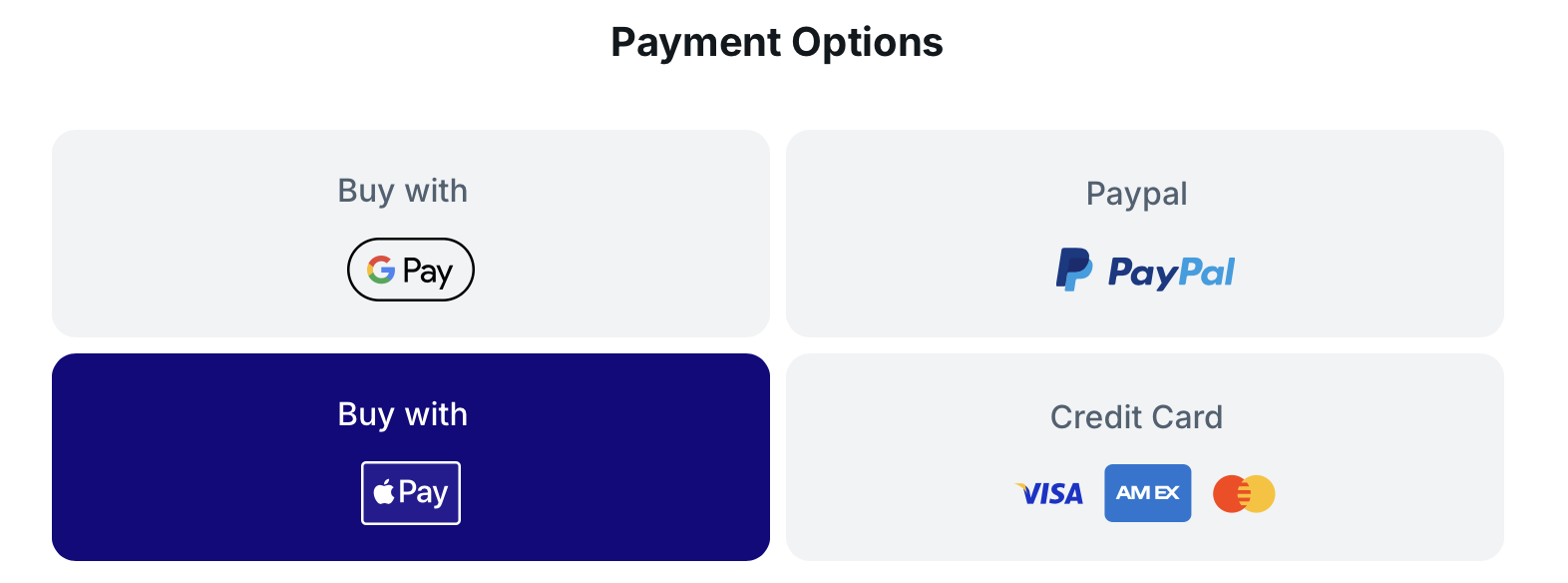 |
planDetails | The styles of the plan’s prices and details: "planDetails": { "titleColor": "#4F6171", "titleBackgroundColor": "#F1F3F5", "textColor": "#14191D", "subtitleColor": "#4F6171", "hrColor": "#E8EAED", "discountColor": "white", "discountBackgroundColor": "linear-gradient(270deg,#88d16e,#07cb99)", "cycleColor": "#A6B5C2", "strikeThroughPriceColor": "#4F6171", "strikeThroughColor": "#FE0063", "priceType": one of('normal', 'strikeThroughMonthly', 'strikeThroughDaily', 'strikeThroughMonthlyAndDaily') — defaults to "nomral" }, 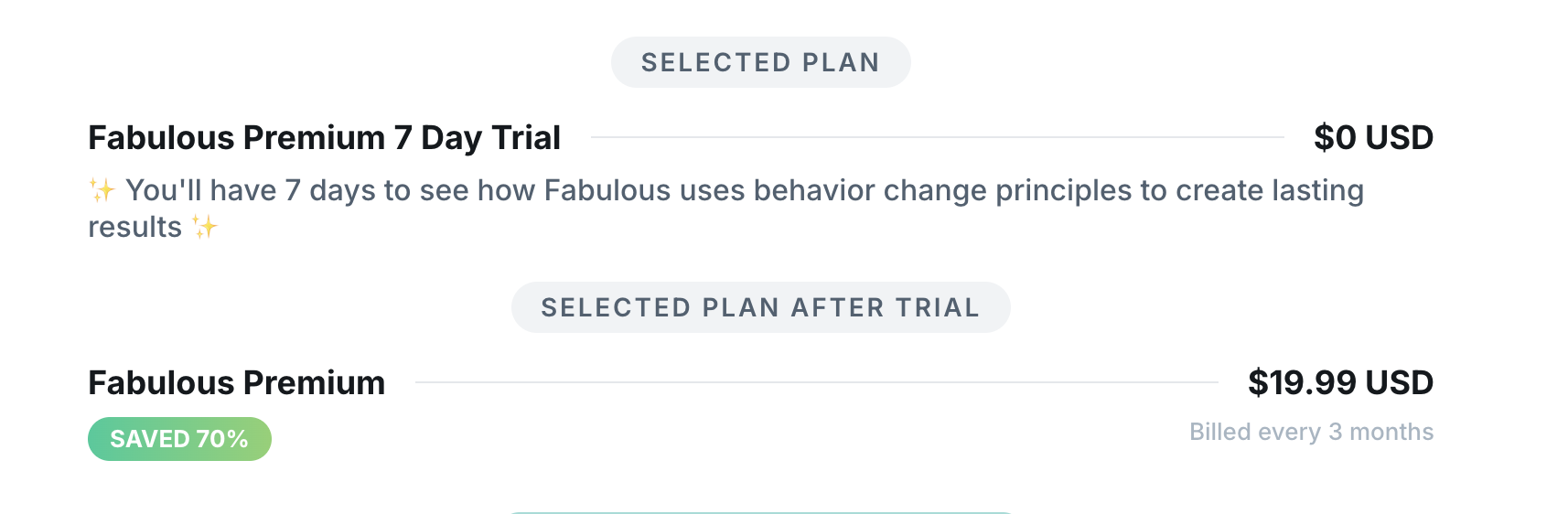 |
terms | The step supports two types of terms, default, and with-plan-details. The default should look like this: "terms": { "type": "default", "linkColor": "#2C5FFF", "backgroundColor": "#F5F7F8", "textColor": "#4F6171" } 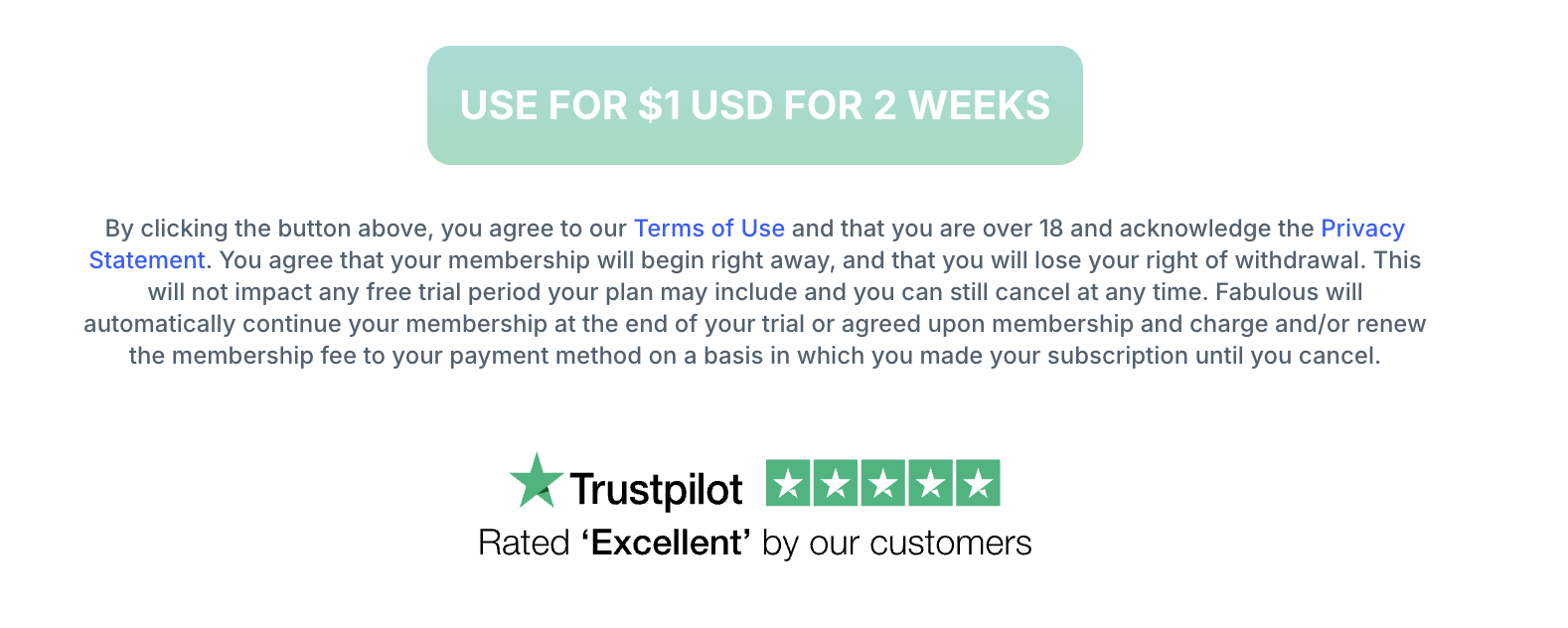 With plan details: With plan details: "terms": { "type": "with-plan-details", "linkColor": "#2C5FFF", "backgroundColor": "#F5F7F8", "textColor": "#4F6171" } 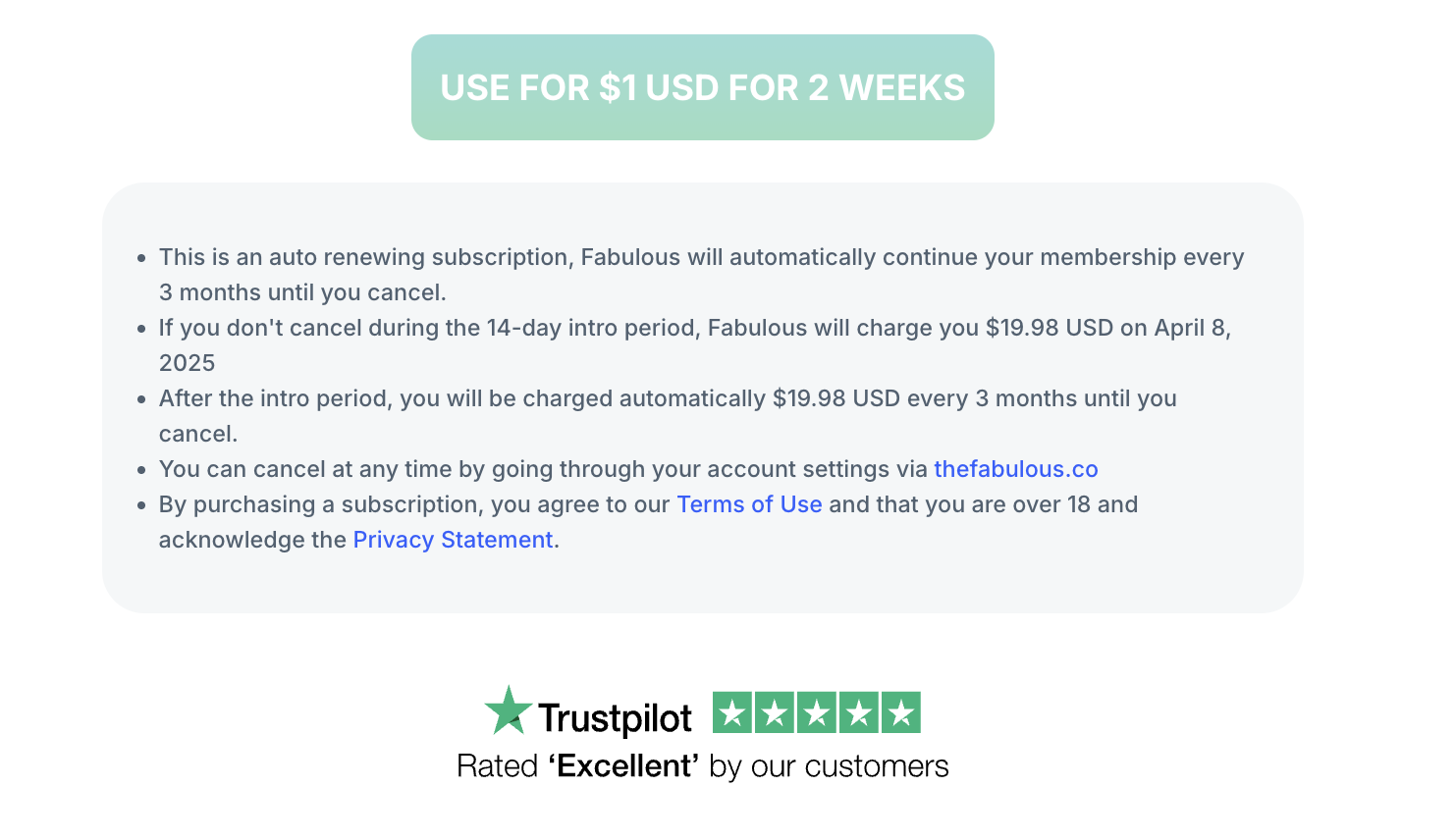 |
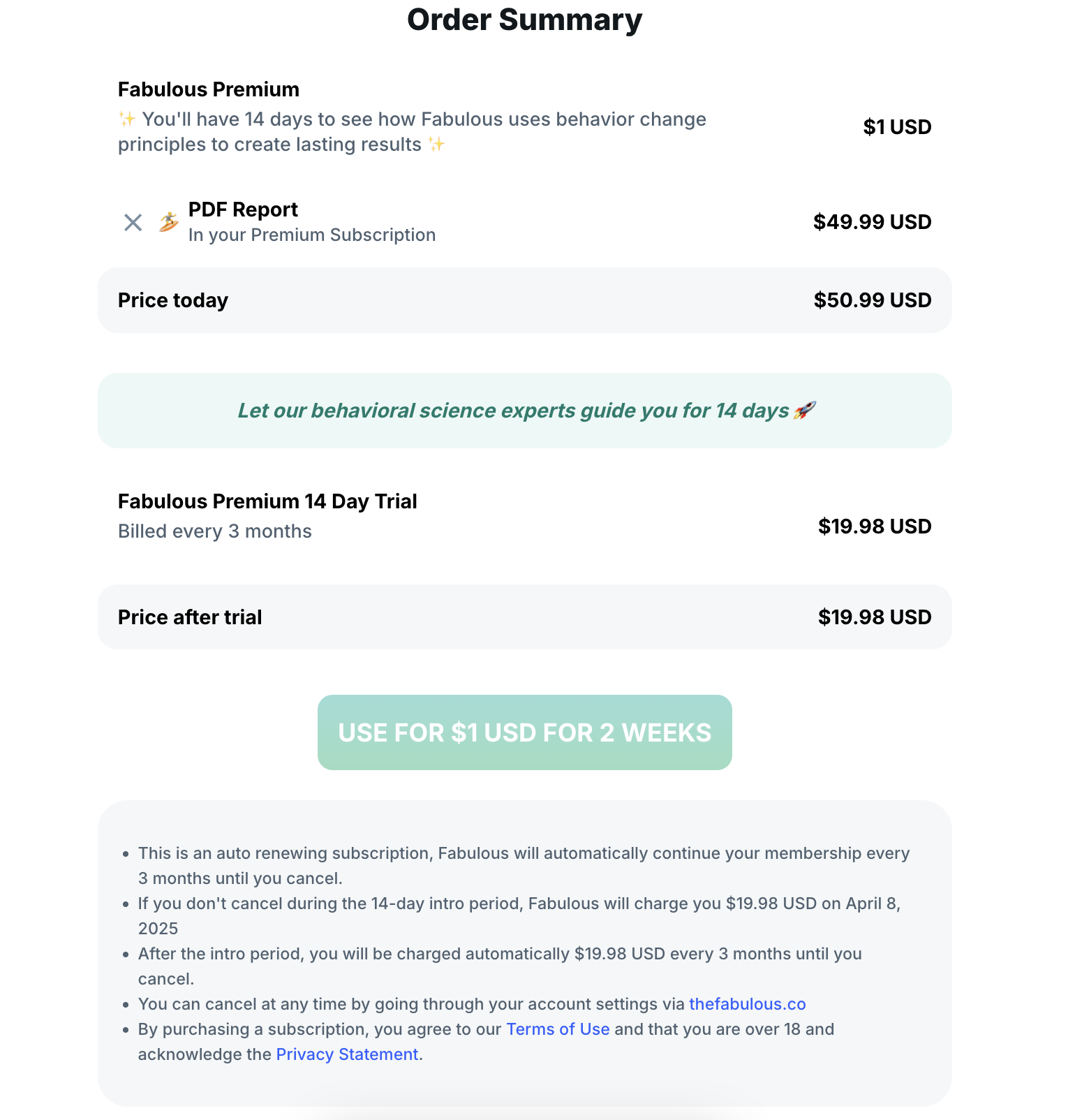
orderSummary | orderSummary can be passed to the step add an addon item to the user subscription: "orderSummary": { "titleColor": "#14191D", "primaryColor": "#000", "secondaryColor": "#4F6171", "addonTitle": "PDF Report", "priceBackgroundColor": "#F5F7F8", "priceTextColor": "#000", "commentTextColor": "#007C6D", "commentBackgroundColor": "#ECF8F6", "removeIconColor": "#7A90A3" }, Note: the order summary currently supports the PDF plan only, and the PDF plan ID needs to be passed in the logic like this: "logic": [ { "stepId": "pdf_charge", "actions": [ { "type": "script", "condition": "user.getOnboardingAnswerValue('pdf_charge') == 'yes'", "script": "setChargeId('fab-item-coaching-plan')" } ] } ] Check the example below for an example of onboarding. 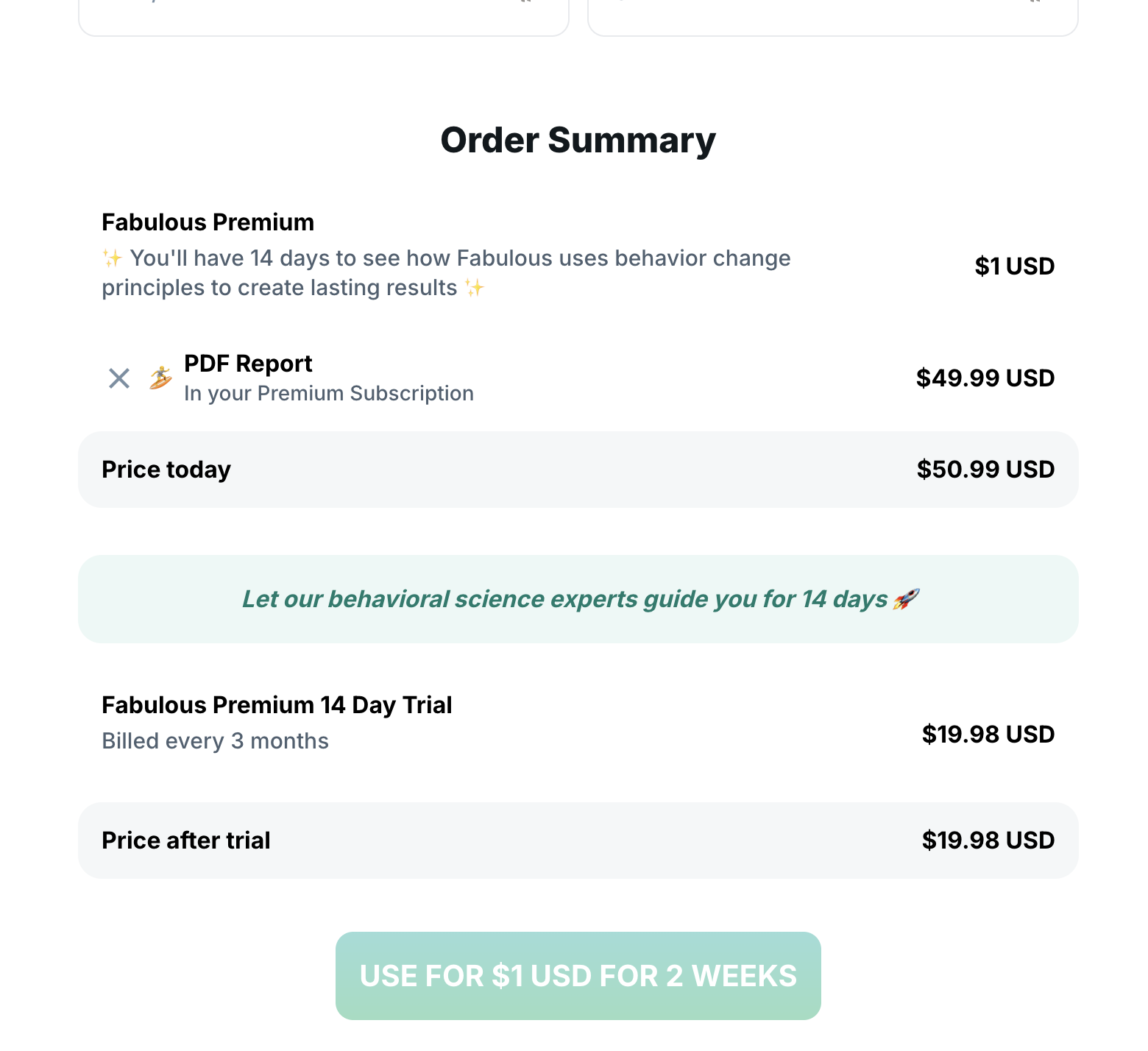 |
testimonials | Read more below |
features | Read more below |
letter | Read more below |
reminder | { "text": string, "backgroundColor": string, "textColor": string, "iconBackgroundColor": string, "iconColor": string, "daysBeforeTrialEnd": number — min(1) } |
trialExplanation | { "header": string, "logo": string (optional), "trial": { "primaryColor": string, "secondaryColor": string, "image": string, "steps": [{"title": string, "description": string}] — count (3) } } |
overlayColor | to represent the color of the layout in case it has discounted offer. |
discountOffer | The styles of the discount offer pop-up (Checkout the section below for the supported types) "discountOffer": { "type":"default", "desktopBackground": "https://c.thefab.co/web-onboarding/fabulous/pwyw_popup_discount_bg_desktop.webp", "tabletBackground": "https://c.thefab.co/web-onboarding/fabulous/pwyw_popup_discount_tablet.webp", "mobileBackground": "https://c.thefab.co/web-onboarding/fabulous/pwyw_popup_discount_bg_mobile.webp", "ctaTextColor": "white", "ctaBackgroundColor": "#00CC9F", "ctaHoverBackgroundColor": "#00A87F", "textColor": "white", "titleColor": "#FF8762", "closeIconColor": "white", "discount": 70, "planDetails": { "borderColor": "#FF8762", "backgroundColor": "white", "primaryColor": "#343D45", "secondaryColor": "#7A90A3", "strikeThroughPriceColor": "#4F6171", "strikeThroughColor": "#FE0063" } } 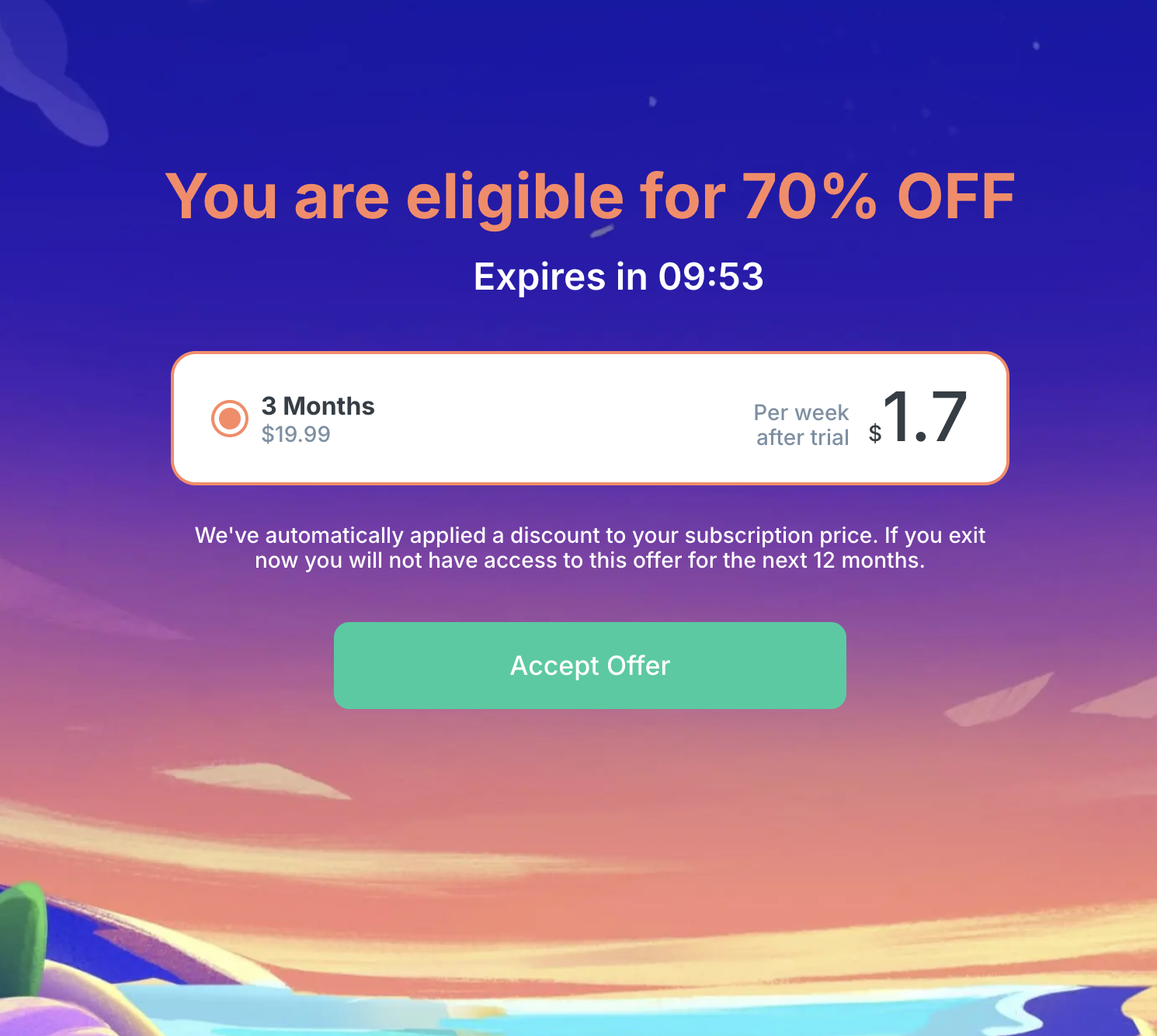 |
discountOfferPlanCode | plan code in case there’s a discounted offer, the plan code will be retrieved from previous pwywWithDiscountedOffer step this property serve as a fallback value. |
closeIconColor | The close icon color |
checkoutType | should be either normal or discounted-offer. discounted-offer is the default value. normal represents when this step is used as the initial plan if type is normal then the retrieved plans from pwywWithDiscountedOffer will be the base plans and not the discounted offer. |
fullPricePlanCode | a plan code which is can be used to reflect the full price without any discount, related to strike through prices. |
infoBox | It can be used to show some info after the plan details component. For example, you can use it to show X Days Money Back Guarantee. "infoBox": { "title": "Money Back Guarantee", "text": "Explore our app with confidence, backed by our Money-Back Guarantee. Our expertly crafted content ensures a risk-free experience for you to dive into the full potential of our app.", "imageUrl": "https://c.thefab.co/web-onboarding/fabulous/money-back.svg", "backgroundColor": "#F6F5FF", "textColor": "#5B4DD4", "titleColor": "#3425B8" } 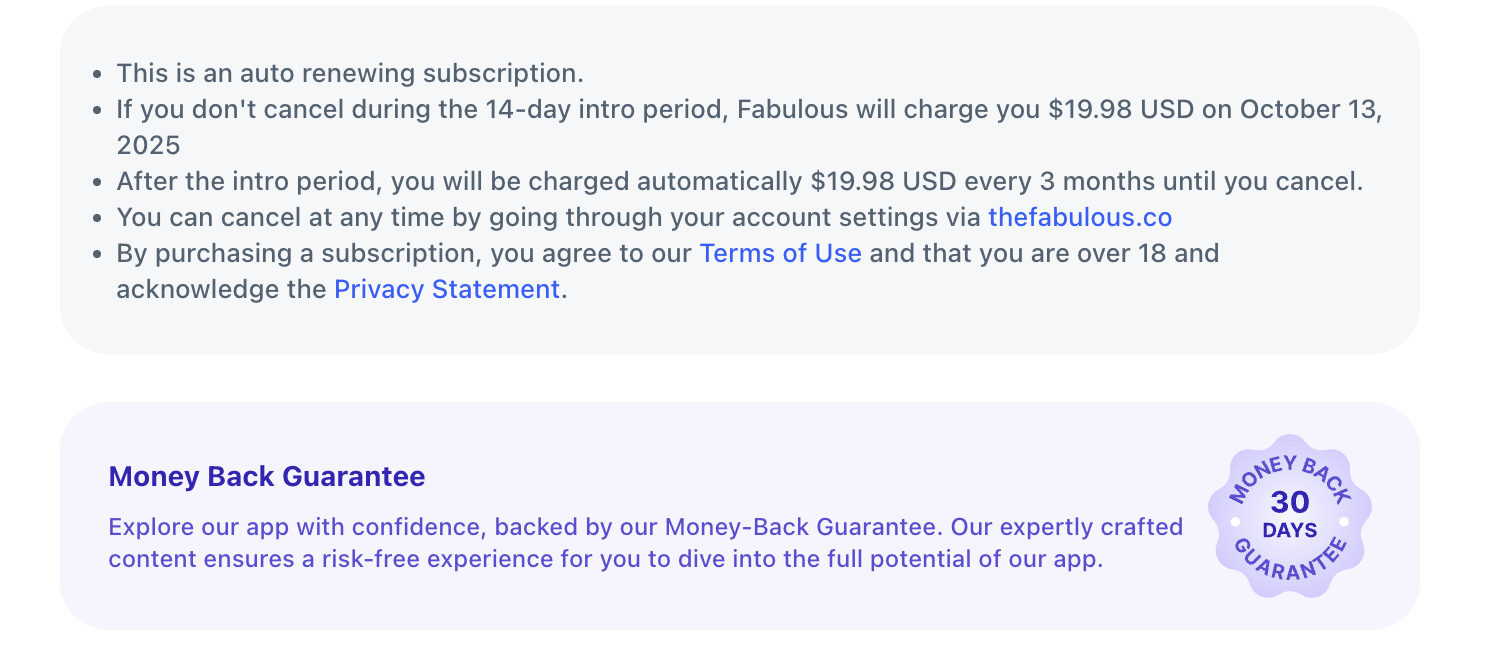 |
paymentOptions | { header: { title: title string, titleColor: title color, subtitle: subtitle string, subtitleColor: subtitle color }), variant: can be ('default', 'emphasized'), separator: { text: Seperator string, textColor: Seperator color }), group: Joi.object({ text: group text string, textColor: text color, backgroundColor: group background color type: can ('accordion', 'tab') }) } Emphasized with separator 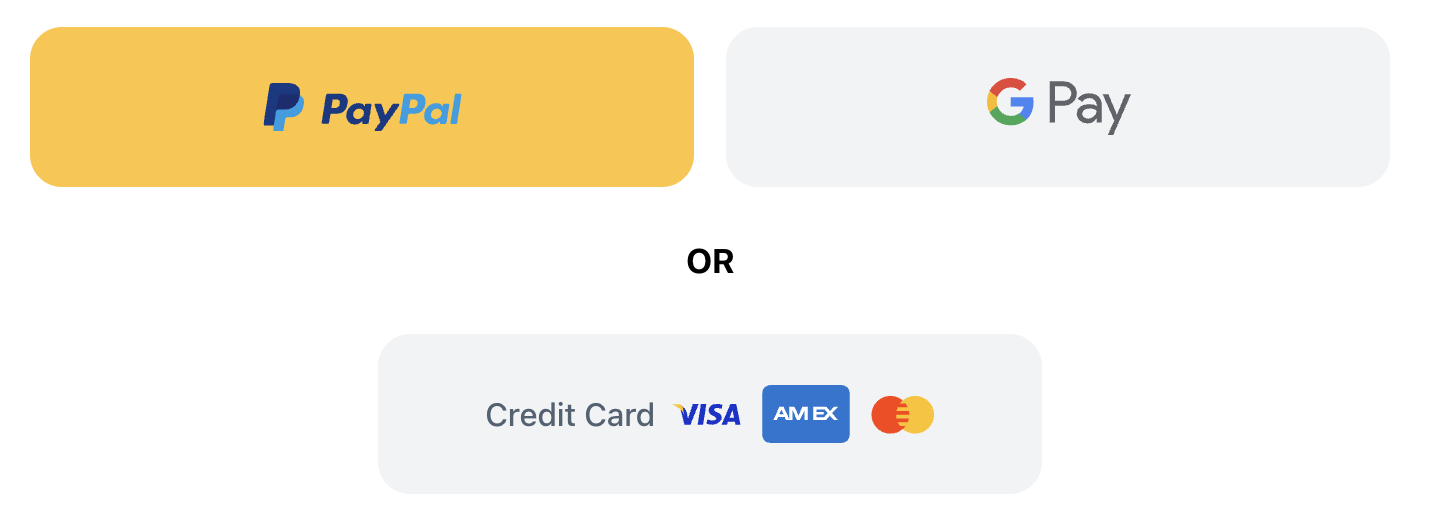 Emphasized with tab Emphasized with tab 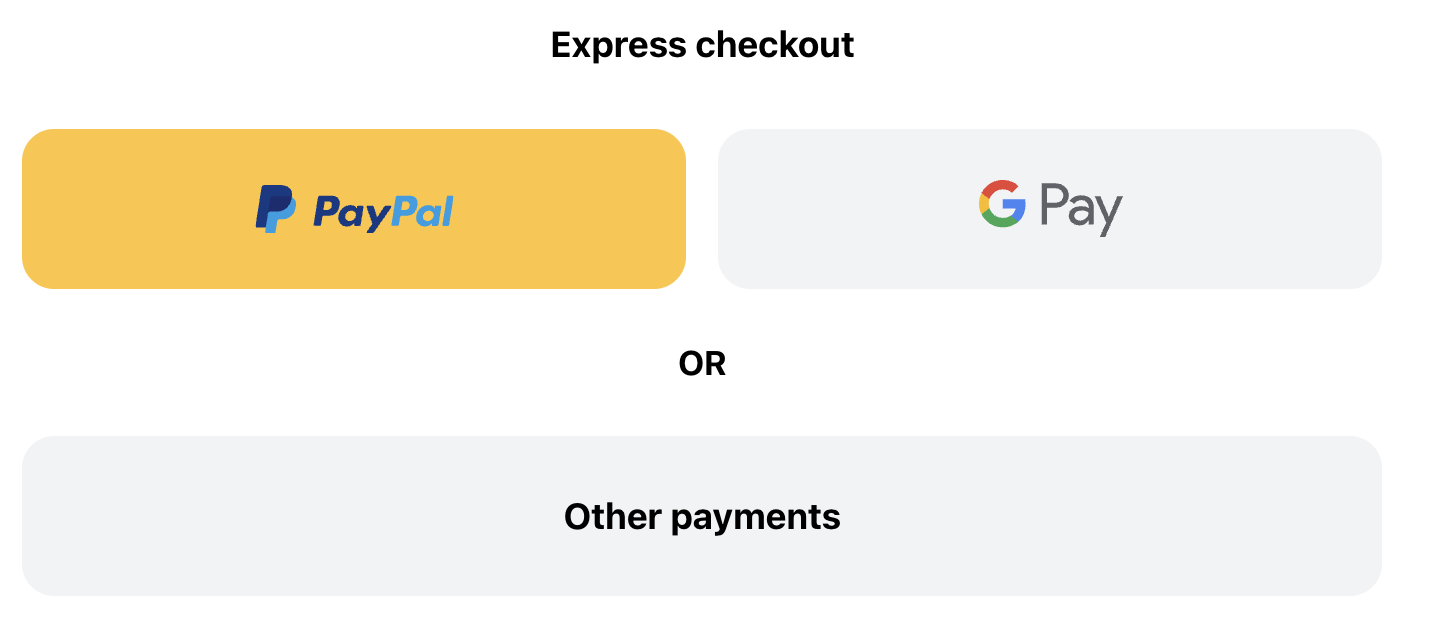 Emphasized with accordion Emphasized with accordion 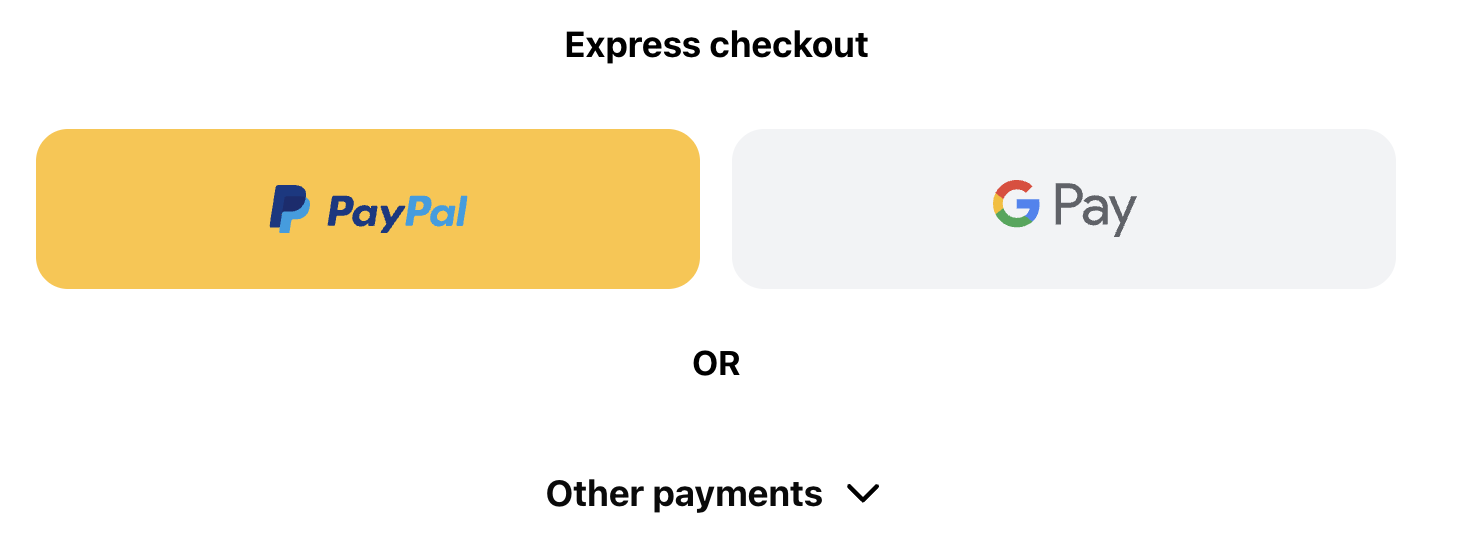 |
Testimonials
The checkout and pwyw pages support a testimonials section to show some reviews at the bottom of the page.
The default testimonials section:
It accepts a type default to show the default component.
The default testimonials JSON
  "testimonials": {
    "type": "default",
    "title": "Members love our plans",
    "subtitle": "Here's what people are saying about Fabulous",
    "footerText": "Cancel anytime, no penalties or fees",
    "imageUrl": "https://c.thefab.co/web-onboarding/fabulous/img_mascot_fabulous.png",
    "titleColor": "#14191D",
    "subtitleColor": "#4F6171",
    "footerTextColor": "#373FC3",
    "reviews": [
        {
            "username": "Sabine Rush",
            "imageUrl": "https://c.thefab.co/web-onboarding/fabulous/quotes.svg",
            "text": "Being diagnosed with ADHD as an adult has been a shock but a blessing. A blessing because now I can get control of my life. I’m 45 and I have felt out of control my entire life. I tried everything but now, thanks to a good doctor and program like this I’m getting my life in order and looking forward to living for real for the first time. Thank you Clarify ADHD!! YOU ROCK!",
            "textColor": "#373FC3",
            "usernameColor": "#000F96",
            "backgroundColor": "#F4F3FF"
        },
        {
            "username": "Chey Here",
            "imageUrl": "https://c.thefab.co/web-onboarding/fabulous/quotes.svg",
            "text": "This app is absolutely life changing! I feel so grateful to have found it and I have no regrets in paying for it. It’s like having a life coach that is gentle and kind but incredibly wise. I’ve surrendered to this process and have started to change on the inside. I feel more peace, gratitude and hope for my future by learning how to break things down into smaller steps and celebrate each small progress. Thank you so much. Highly recommended.",
            "textColor": "#373FC3",
            "usernameColor": "#000F96",
            "backgroundColor": "#F4F3FF"
        }
    ]
},

Features
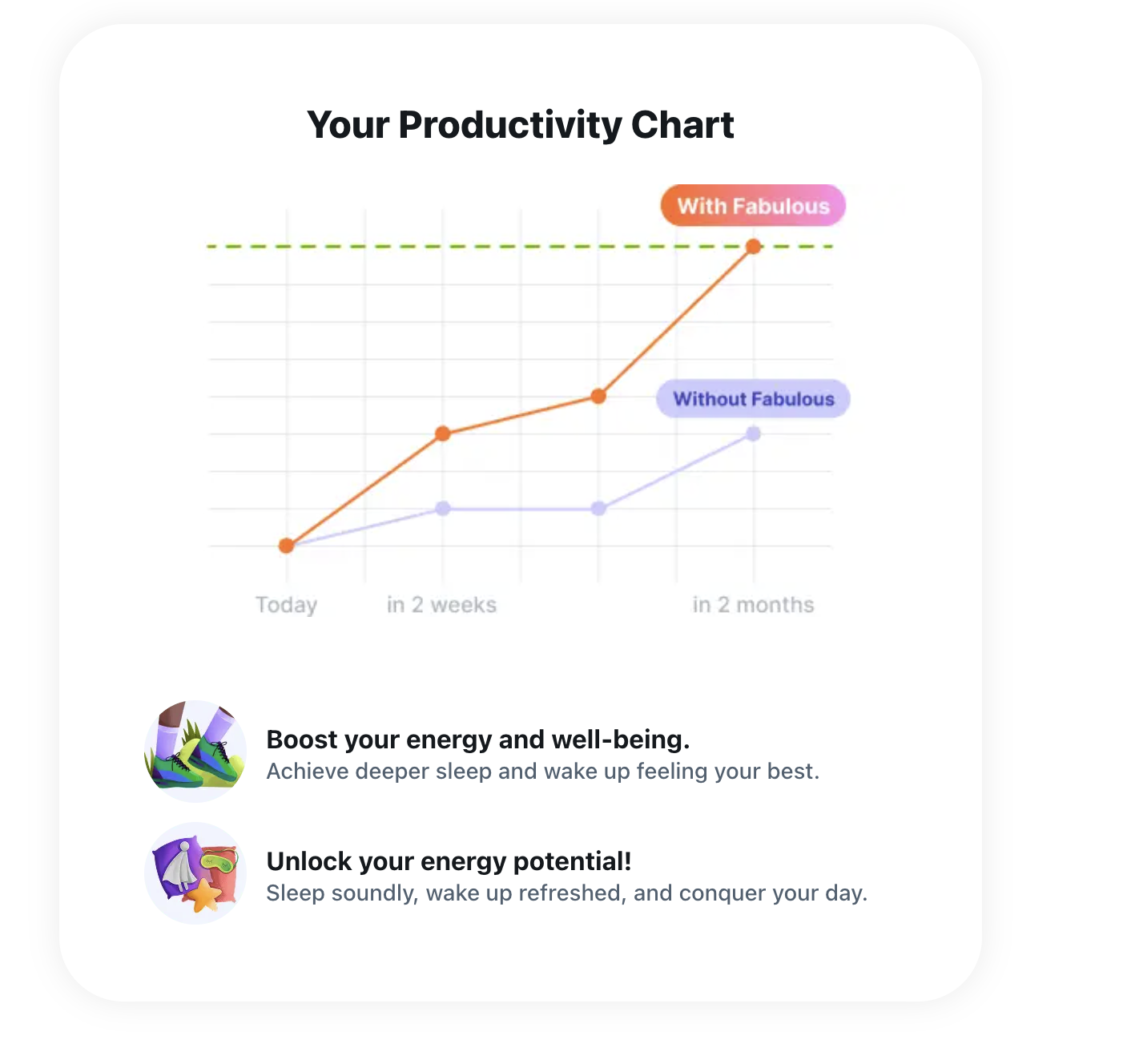
The checkout and pwyw pages support a features section showing some features at the top.
The default features section:
It accepts a type default to show the default component.
The default features JSON
 "features": {
    "title": "Your Productivity Chart",
    "titleColor": "#14191D",
    "imageUrl": "https://c.thefab.co/web-onboarding/fabulous/chart.jpg",
    "boxShadow": "0px 0px 20px 0px #00000014",
    "imageMaxWidth": "480px",
    "marginBottom": "50px",
    "items": [
        {
            "imageUrl": "https://c.thefab.co/web-onboarding/fabulous/img_productivity_icon_1.png",
            "title": "Boost your energy and well-being.",
            "subtitle": "Achieve deeper sleep and wake up feeling your best.",
            "textColor": "#14191D",
            "subtitleColor": "#4F6171"
        },
        {
            "imageUrl": "https://storage.googleapis.com/c.thefab.co/web-onboarding/fabulous/img_productivity_icon_2.png",
            "title": "Unlock your energy potential!",
            "subtitle": "Sleep soundly, wake up refreshed, and conquer your day.",
            "textColor": "#14191D",
            "subtitleColor": "#4F6171"
        }
    ]
    }
Letter
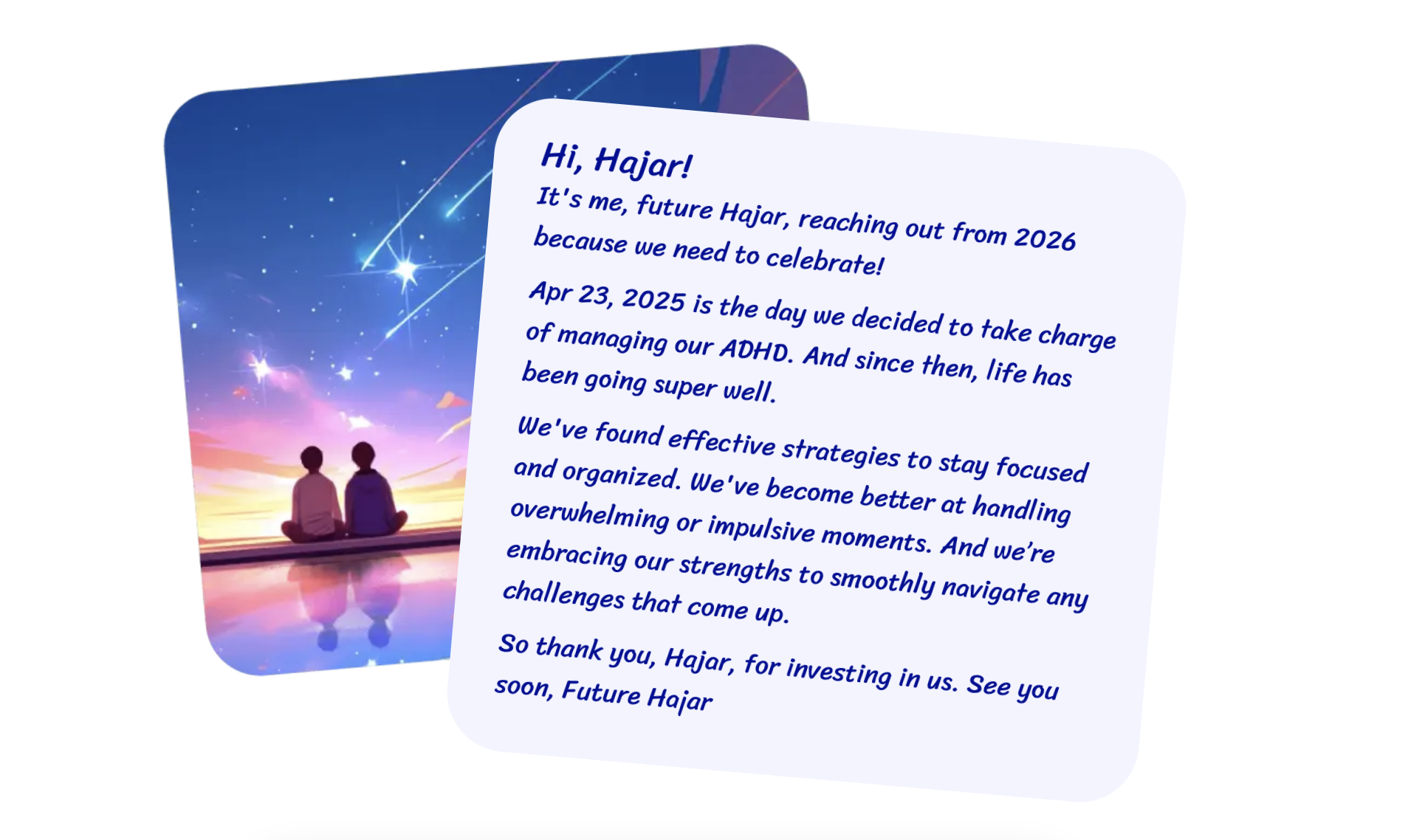
The checkout and pwyw pages support a letter section showing a letter at the top.
The default letter section:
It accepts a type default to show the default component.
The default letter JSON
 "letter": {
    "type": "default",
    "title": "Hi, {{NAME}}!",
    "text": [
        "It's me, future {{NAME}}, reaching out from {{TODAY|year|+1}} because we need to celebrate!",
        "{{TODAY}} is the day we decided to take charge of managing our ADHD. And since then, life has been going super well.",
        "We've found effective strategies to stay focused and organized. We've become better at handling overwhelming or impulsive moments. And we’re embracing our strengths to smoothly navigate any challenges that come up.",
        "So thank you, {{NAME}}, for investing in us. See you soon, Future {{NAME}}"
    ],
    "imageUrl": "https://c.thefab.co/web-onboarding/fabulous/img_letter_card.webp",
    "imageUrlMobile": "https://c.thefab.co/web-onboarding/fabulous/img_letter_card_mobile.webp",
    "textColor": "#000F96",
    "letterBackgroundColor": "#F3F4FF"
}
Notes
[!IMPORTANT] The step also accepts a
postPurchaseParamsobject to pass the post-purchase links, such as the upsell flow."postPurchaseParams": {
"upsellFlowId": ""
"continuationLink": "",
"emailTemplate":"",
"source:"",
"mobileDeeplink":"",
"successLink":"",
"nextStepId":""
}For example, you can add the
"upsellFlowId":"fab_upsell_bundle_5apps_39_pdf_thankyou"to show the upsell flow with that id after a Purchase Success.
nextStepIdshould be added when we want the onboarding to continue to post-purchase onboarding steps. You can read more on handling [Steps Offers Logic](Post Purchase Offers/Steps Offers Logic), and all supported offers [Personal Coaching](Post Purchase Offers/Personal Coaching).
[!NOTE] Notes:
- If
postPurchaseParamsisn’t added, the default next step will be the signup page and then the download page.- The onboarding also accepts these values in the URL params. If you start the onboarding as
https://start.thefabulous.co/onboaring/checkout?upsellFlowId=fab_upsell_bundle_5apps_39_pdf_thankyoufor example, thecheckoutstep will recognize theupsellFlowIdand use it to show the upsell flow next.- If the
upsellFlowIdexists in both the step’spostPurchaseParamsand the URL param, the one in the URL param will take precedence.- The old upsell flow params such as
upsellPathorupsellPath2aren’t supported.
Example of a checkout step in Fabulous
{
    "type": "checkout",
    "stepId": "discount-offer",
    "backgroundColor": "white",
    "planCode": "fab-subs-quarterly-19",
    "logoUrl": "https://c.thefab.co/web-onboarding/fabulous/fabulous-logo.svg",
    "textColor": "#14191D",
    "linkColor": "#3A44E6",
    "secondaryColor": "#7A90A3",
    "discount": 70,
    "paymentOrder": [
        "paypal",
        "google-pay",
        "apple-pay",
        "cc"
    ],
    "timer": {
        "textColor": "#7871E4",
        "backgroundColor": "white",
        "buttonBackgroundColor": "linear-gradient(to right, #574DFF, #BFBAFF)",
        "buttonColor": "white",
        "boxShadow": "0 0 20px #5a50ff26",
        "circlePrimaryColor": "#6455FE",
        "circleSecondaryColor": "#BFBAFF",
        "circleBackgroundColor": "#EFF4FF"
    },
    "form": {
        "placeholderColor": "#7A90A3",
        "inputColor": "#14191d",
        "inputBorderColor": "#E8EAED",
        "ctaBackgroundColor": "linear-gradient(180deg, #00BAAF, #00BA82)",
        "ctaTextColor": "white",
        "noCommitmentsTextColor": "#4F6171"
    },
    "planDetails": {
        "titleColor": "#4F6171",
        "titleBackgroundColor": "#F1F3F5",
        "textColor": "#14191D",
        "subtitleColor": "#4F6171",
        "hrColor": "#E8EAED",
        "discountColor": "white",
        "discountBackgroundColor": "linear-gradient(270deg,#88d16e,#07cb99)",
        "cycleColor": "#A6B5C2"
    },
    "tabs": {
        "activeTextColor": "white",
        "textColor": "#4f6171",
        "activeBackgroundColor": "#130a7e",
        "backgroundColor": "#f1f3f5"
    }
}
JSON with orderSummary for a PDF plan (screenshot below)
 {
        "id": "fab_app_id",
        "appId": "co.thefabulous.app",
        "language": "en",
        "seo": {
            "title": "Fabulous",
            "favicon": "https://c.thefab.co/web-onboarding/elixir/elixir-favicon.png",
            "description": "Unlock your true potential with Elixir: Your daily guide to a purpose-driven, authentic life. Find your focus, live with intention."
        },
        "steps": [
            {
                "type": "goalChoice",
                "title": "Would you like to add a PDF purchase to your subscription?",
                "stepId": "pdf_charge",
                "subtitle": "",
                "key": "pdf_charge",
                "backgroundColor": "#ffffff",
                "hideIcons": true,
                "textColor": "#2F0191",
                "shouldFadeIn": false,
                "choices": [
                    {
                        "name": "Yes",
                        "locked": false,
                        "value": "yes",
                        "nameColor": "#2F0191",
                        "backgroundColor": "#f5f7ff",
                        "hideDarkOverlay": true,
                        "hoverBackgroundColor": "#E7EBFF"
                    },
                    {
                        "name": "No, thank you",
                        "locked": false,
                        "value": "no",
                        "nameColor": "#2F0191",
                        "backgroundColor": "#f5f7ff",
                        "hideDarkOverlay": true,
                        "hoverBackgroundColor": "#E7EBFF"
                    }
                ]
            },
            {
                "type": "pwywWithDiscountedOffer",
                "stepId": "pwyw",
                "backgroundColor": "white",
                "logoUrl": "https://c.thefab.co/web-onboarding/fabulous/fabulous-logo.svg",
                "profileIconColor": "#7A90A3",
                "textColor": "#14191D",
                "subtitleColor": "#4F6171",
                "paragraphColor": "#7A90A3",
                "ctaTextColor": "white",
                "ctaBackgroundColor": "#FF6A04",
                "ctaHoverBackgroundColor": "#E94F0D",
                "textWithArrowColor": "#FF6A04",
                "desktopBackground": "https://c.thefab.co/web-onboarding/fabulous/pwyw-bg-desktop.webp",
                "tabletBackground": "https://c.thefab.co/web-onboarding/fabulous/pwyw-bg-tablet.webp",
                "mobileBackground": "https://c.thefab.co/web-onboarding/fabulous/pwyw-bg-mobile.webp",
                "discountOfferPlanCode": "fab-subs-quarterly-19",
                "overlayColor": "#0006",
                "discount": 30,
                "choices": [
                    {
                        "planCode": "fab-subs-quarterly-discount-intro-1-nineteen",
                        "textColor": "#004585",
                        "backgroundColor": "#E1F1FF",
                        "borderColor": "#004585"
                    },
                    {
                        "planCode": "fab-subs-quarterly-discount-intro-5-nineteen",
                        "textColor": "#004585",
                        "backgroundColor": "#CEE8FF",
                        "borderColor": "#004585"
                    },
                    {
                        "planCode": "fab-subs-quarterly-discount-intro-10-nineteen",
                        "textColor": "#FF6A04",
                        "backgroundColor": "#FFEBDF",
                        "borderColor": "#FF6A04",
                        "titleColor": "white",
                        "titleBackgroundColor": "#FF6A04",
                        "mostPopular": true
                    }
                ],
                "popupForm": {
                    "backgroundColor": "white",
                    "secondaryColor": "#7A90A3",
                    "closeIconColor": "#7A90A3",
                    "maxWidth": "680px",
                    "orderSummary": {
                        "titleColor": "#14191D",
                        "primaryColor": "#000",
                        "secondaryColor": "#4F6171",
                        "addonTitle": "PDF Report",
                        "priceBackgroundColor": "#F5F7F8",
                        "priceTextColor": "#000",
                        "commentTextColor": "#007C6D",
                        "commentBackgroundColor": "#ECF8F6",
                        "removeIconColor": "#7A90A3"
                    },
                    "terms": {
                        "type": "with-plan-details",
                        "linkColor": "#2C5FFF",
                        "backgroundColor": "#F5F7F8",
                        "textColor": "#4F6171"
                    },
                    "timer": {
                        "textColor": "#7871E4",
                        "backgroundColor": "white",
                        "buttonBackgroundColor": "linear-gradient(to right, #574DFF, #BFBAFF)",
                        "buttonColor": "white",
                        "boxShadow": "0 0 20px #5a50ff26",
                        "circlePrimaryColor": "#6455FE",
                        "circleSecondaryColor": "#BFBAFF",
                        "circleBackgroundColor": "#EFF4FF"
                    },
                    "form": {
                        "placeholderColor": "#7A90A3",
                        "inputColor": "#14191d",
                        "inputBorderColor": "#E8EAED",
                        "ctaBackgroundColor": "linear-gradient(180deg, #00BAAF, #00BA82)",
                        "ctaTextColor": "white",
                        "noCommitmentsTextColor": "#4F6171"
                    },
                    "planDetails": {
                        "titleColor": "#4F6171",
                        "titleBackgroundColor": "#F1F3F5",
                        "textColor": "#14191D",
                        "subtitleColor": "#4F6171",
                        "hrColor": "#E8EAED",
                        "discountColor": "white",
                        "discountBackgroundColor": "linear-gradient(270deg,#88d16e,#07cb99)",
                        "cycleColor": "#A6B5C2"
                    },
                    "tabs": {
                        "activeTextColor": "white",
                        "textColor": "#4f6171",
                        "activeBackgroundColor": "#130a7e",
                        "backgroundColor": "#f1f3f5"
                    }
                },
                "discountOffer": {
                    "desktopBackground": "https://c.thefab.co/web-onboarding/fabulous/pwyw_popup_discount_bg_desktop.webp",
                    "tabletBackground": "https://c.thefab.co/web-onboarding/fabulous/pwyw_popup_discount_tablet.webp",
                    "mobileBackground": "https://c.thefab.co/web-onboarding/fabulous/pwyw_popup_discount_bg_mobile.webp",
                    "ctaTextColor": "white",
                    "ctaBackgroundColor": "#00CC9F",
                    "ctaHoverBackgroundColor": "#00A87F",
                    "textColor": "white",
                    "titleColor": "#FF8762",
                    "closeIconColor": "white",
                    "discount": 70,
                    "planDetails": {
                        "borderColor": "#FF8762",
                        "backgroundColor": "white",
                        "primaryColor": "#343D45",
                        "secondaryColor": "#7A90A3"
                    }
                }
            },
            {
                "type": "checkout",
                "stepId": "discount-offer",
                "backgroundColor": "white",
                "planCode": "fab-subs-quarterly-19",
                "logoUrl": "https://c.thefab.co/web-onboarding/fabulous/fabulous-logo.svg",
                "textColor": "#14191D",
                "linkColor": "#3A44E6",
                "secondaryColor": "#7A90A3",
                "discount": 70,
                "maxWidth": "680px",
                "orderSummary": {
                    "titleColor": "#14191D",
                    "primaryColor": "#000",
                    "secondaryColor": "#4F6171",
                    "addonTitle": "PDF Report",
                    "priceBackgroundColor": "#F5F7F8",
                    "priceTextColor": "#000",
                    "commentTextColor": "#007C6D",
                    "commentBackgroundColor": "#ECF8F6",
                    "removeIconColor": "#7A90A3"
                },
                "terms": {
                    "type": "with-plan-details",
                    "linkColor": "#2C5FFF",
                    "backgroundColor": "#F5F7F8",
                    "textColor": "#4F6171"
                },
                "timer": {
                    "textColor": "#7871E4",
                    "backgroundColor": "white",
                    "buttonBackgroundColor": "linear-gradient(to right, #574DFF, #BFBAFF)",
                    "buttonColor": "white",
                    "boxShadow": "0 0 20px #5a50ff26",
                    "circlePrimaryColor": "#6455FE",
                    "circleSecondaryColor": "#BFBAFF",
                    "circleBackgroundColor": "#EFF4FF"
                },
                "form": {
                    "placeholderColor": "#7A90A3",
                    "inputColor": "#14191d",
                    "inputBorderColor": "#E8EAED",
                    "ctaBackgroundColor": "linear-gradient(180deg, #00BAAF, #00BA82)",
                    "ctaTextColor": "white",
                    "noCommitmentsTextColor": "#4F6171"
                },
                "planDetails": {
                    "titleColor": "#4F6171",
                    "titleBackgroundColor": "#F1F3F5",
                    "textColor": "#14191D",
                    "subtitleColor": "#4F6171",
                    "hrColor": "#E8EAED",
                    "discountColor": "white",
                    "discountBackgroundColor": "linear-gradient(270deg,#88d16e,#07cb99)",
                    "cycleColor": "#A6B5C2"
                },
                "tabs": {
                    "activeTextColor": "white",
                    "textColor": "#4f6171",
                    "activeBackgroundColor": "#130a7e",
                    "backgroundColor": "#f1f3f5"
                }
            }
        ],
        "logic": [
            {
                "stepId": "pdf_charge",
                "actions": [
                    {
                        "type": "script",
                        "condition": "user.getOnboardingAnswerValue('pdf_charge') == 'yes'",
                        "script": "setChargeId('fab-item-coaching-plan')"
                    }
                ]
            }
        ]
    }