Timers
with-coupon
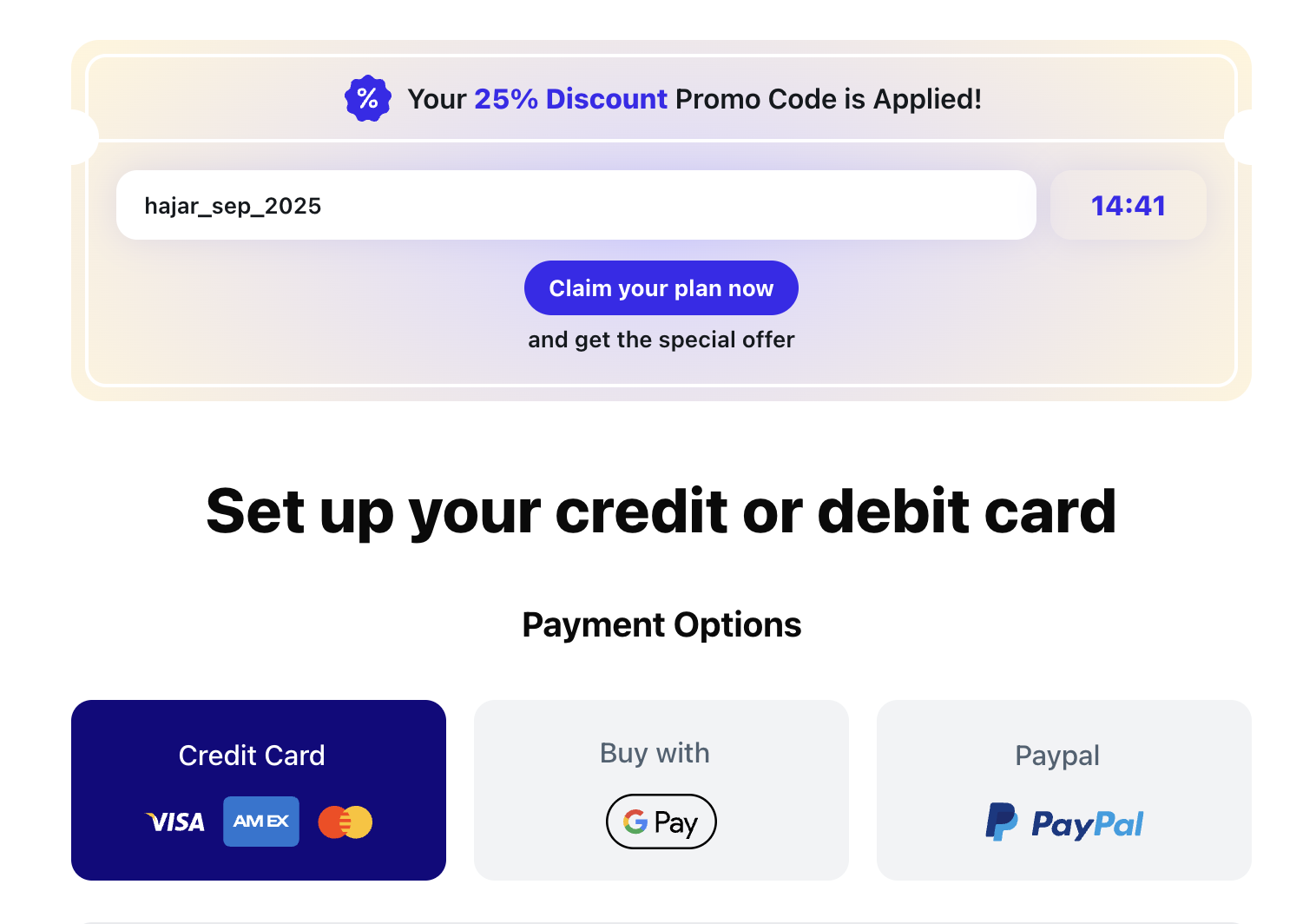
Supported in: [PWYW with a Discounted Offer](../PWYW with a Discounted Offer) - [Checkout](Onboarding Templates/Checkout)
"timer": {
    "type": "with-coupon",
    "textColor": "#14191D",
    "backgroundColor": "radial-gradient(60.09% 100% at 50% 54.67%, #DAD6FF 0%, #FFF4DB 95.65%)",
    "buttonBackgroundColor": "#392AED",
    "buttonColor": "white",
    "boxShadow": "0 0 20px 0 rgba(98, 98, 221, 0.15)",
    "title": "Your <span style='color:#392AED; font-weight:800;'>25% Discount</span> Promo Code is Applied!",
    "coupon": {
        "backgroundColor": "white",
        "textColor": "#14191D",
        "borderColor": "white",
        "icon": "https://c.thefab.co/web-onboarding/fabulous/icon/icon_precentage.svg",
        "discountText": "and get the special offer",
        "timerColor": "#392AED",
        "circleColor": "white"
    }
}
| Key | Notes |
|---|---|
type | with-coupon |
textColor | The card component text color |
backgroundColor | The card component background color |
buttonBackgroundColor | The CTA background color |
buttonColor | The CTA text color |
boxShadow | It can be used to add a box shadow to the timer button |
title | It supports HTML, and it’s this text in the screenshot above: Your <span style='color:#392AED; font-weight:800;'>25% Discount</span> Promo Code is Applied! |
coupon | Holds the styles needed for the card: "coupon": { "backgroundColor": "white", "textColor": "#14191D", "borderColor": "white", "icon": "https://c.thefab.co/web-onboarding/fabulous/icon/icon_precentage.svg", "discountText": "and get the special offer", "timerColor": "#392AED", "circleColor": "white", "code":"" // optional coupon code } Note: The coupon can accept a code key to support prefixing its value with that code. By default the code ID will be: {'{{'}USERNAME{{'}}'}_{'{{'}MONTH{{'}}'}_{'{{'}YEAR{{'}}'} If coupon.code exists, the ID will be: {'{{'}COUPON_CODE{{'}}'}_{'{{'}MONTH{{'}}'}_{'{{'}YEAR{{'}}'} e.g. 3RACHA_jan_2026 if the code is 3RACHA |