Confirm Account With Email Updates
confirmAccountWithEmailUpdates is a Web-only template where the user enters their name and email to continue onboarding. It supports showing a logo & a checkbox for sending Fabulous updates.
| Key | Notes |
|---|---|
type | confirmAccountWithEmailUpdates |
stepId | Unique step id |
title | The title of the template |
useHTML | A boolean to check there’s any HTML in the title or subtitle. Example of a title that uses HTML: <span style='color:#B2002B;'>Achieve your life goals</span> <span style='color:#343D45;'>with Fabulous</span> |
backgroundImage | An image of the body’s background (the whole screen) in mobile screens |
desktopBackgroundImage | The background image on desktop. |
backgroundColor | The page’s background color. |
innerBackgroundColor | The background image for the inner container (check the screenshots below for examples) |
innerMobileBackgroundColor | Needed sometimes if we want to show a different color for the container background in mobile. |
showLogo | Accepts true or false to show a logo to the step. |
logoWidth, logoHeight, & logoUrl | Needed when showLogo is set to true. "logoWidth": "144px", "logoHeight": "24px", "logoUrl": "https://c.thefab.co/web-onboarding/fabulous/fab-logo-black.svg", |
showSendUpdates | true or false to show the checkout box for sending updates |
sendUpdatesText, sendUpdatesTextColor, sendUpdatesBackgroundColor, checkboxBackgroundColor, checkboxBorderColor, selectedCheckboxBackgroundColor | All these are needed if showSendUpdates is set to true. Example: "showSendUpdates": true, "sendUpdatesText": "Send me latest Fabulous news and updates via email", "sendUpdatesTextColor": "#4F6171", "sendUpdatesBackgroundColor": "rgba(255, 255, 255, 0.6)", "checkboxBackgroundColor": "#fff", "checkboxBorderColor": "#FFF", "selectedCheckboxBackgroundColor": "#FFA133", |
inputPlaceholderColor | The text color of the placeholder |
inputTextColor | The text color of the input text |
emailPlaceholderText | Text of the email placeholder (e.g Enter your email) |
namePlaceholderText | Text of the email placeholder (e.g Enter your name) |
invalidEmailMessage | An error message that shows up when the user enter an invalid email. |
requiredText & requiredTextColor | The text required in the email input. |
waitText | Text to show on the Cta button when the API is fetching (e.g. please wait…) |
textColor | The main textColor on the page |
ctaText | The text of the main button |
ctaColor | The text color of the main button |
ctaBackgroundColor | The background color of the main button |
Steps Examples
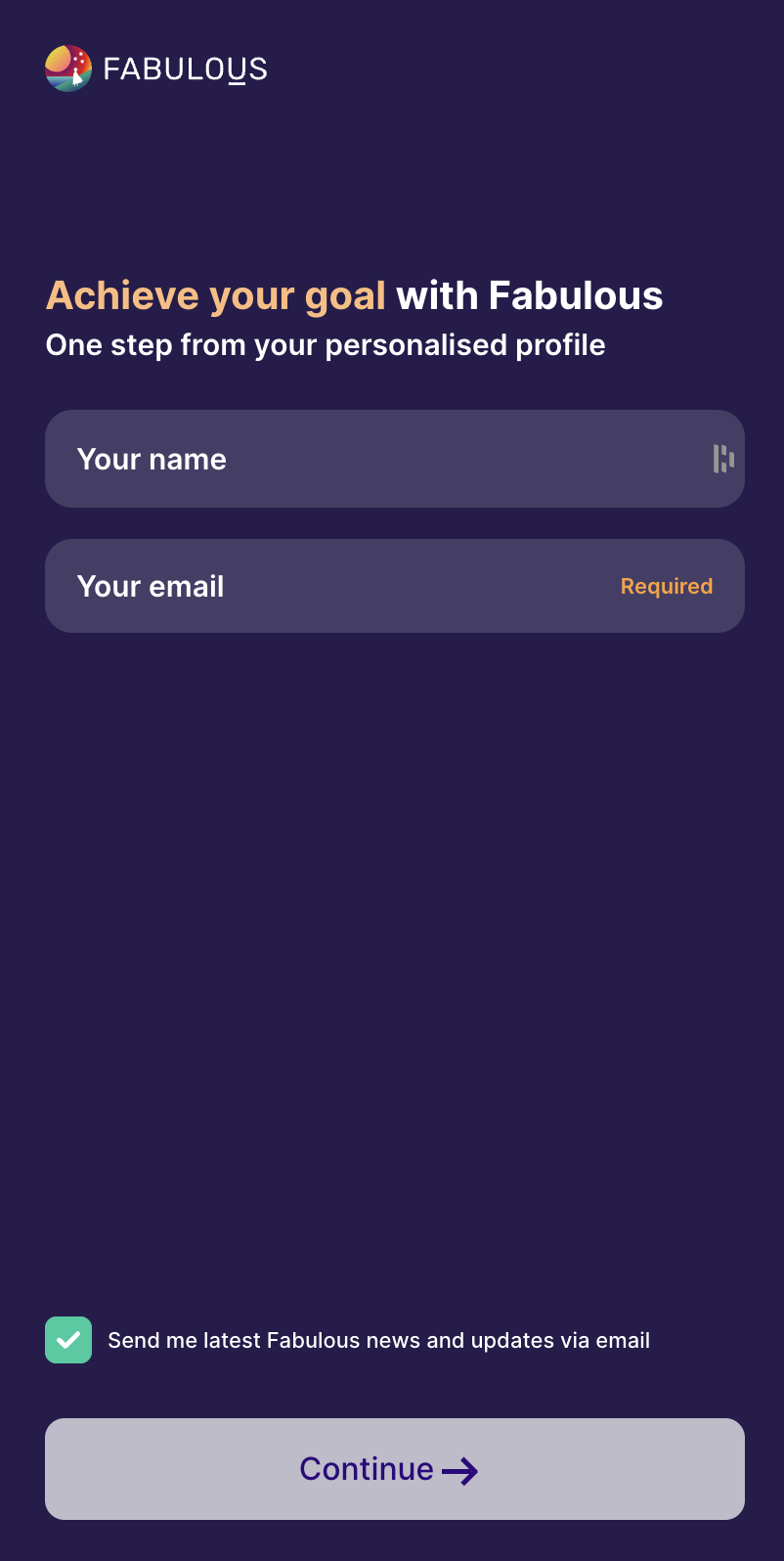
Step with a logo & send-update chekbox
{
  "type": "confirmAccountWithEmailUpdates",
  "stepId": "step_2",
  "title": "<span style='color:#FFBB7B;'>Achieve your goal</span> with Fabulous",
  "subtitle": "One step from your personalised profile",
  "useHTML": true,
  "backgroundColor": "#261B4C",
  "innerBackgroundColor": "#261B4C",
  "showLogo": true,
  "logoWidth": "144px",
  "logoHeight": "24px",
  "logoUrl": "https://c.thefab.co/web-onboarding/fabulous/fabulous-logo-white.svg",
  "showSendUpdates": true,
  "sendUpdatesText": "Send me latest Fabulous news and updates via email",
  "sendUpdatesTextColor": "#FFF",
  "ctaText": "Continue",
  "ctaColor": "#FFF",
  "ctaTextColor": "#2F0191",
  "textColor": "#FFF",
  "emailPlaceholderText": "Your email",
  "namePlaceholderText": "Your name",
  "inputPlaceholderColor": "#FFFFFF",
  "inputBackgroundColor": "rgba(255, 255, 255, 0.15)",
  "invalidEmailMessage": "Please enter a valid email address.",
  "requiredText": "Required",
  "requiredTextColor": "#FFA133",
  "waitText": "Please wait...",
  "checkboxBackgroundColor": "#473D67",
  "checkboxBorderColor": "#FFF",
  "selectedCheckboxBackgroundColor": "#00CC9F"
}
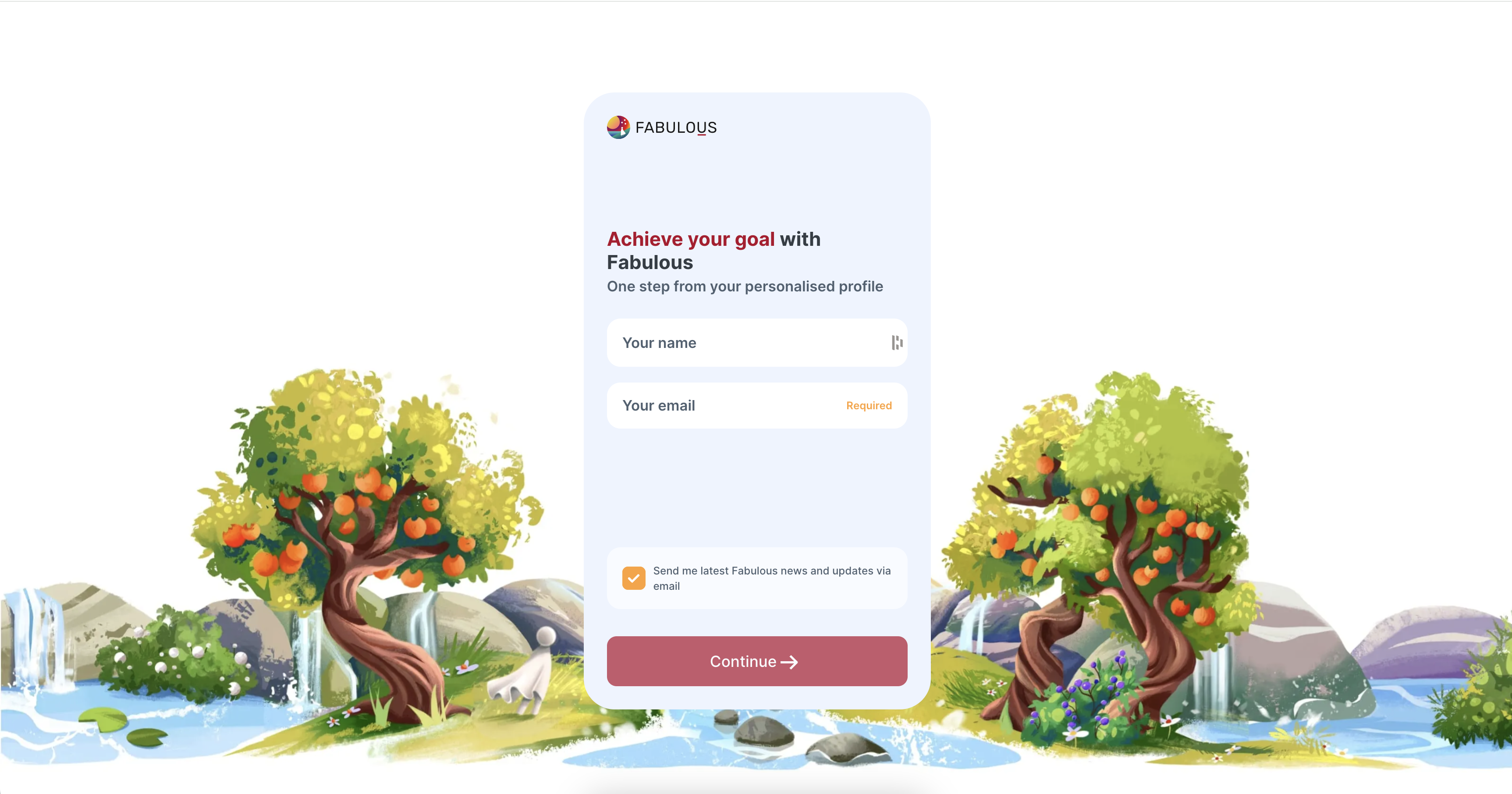
Step with a logo & send-update chekbox & backgrounds
  {
    "type": "confirmAccountWithEmailUpdates",
    "stepId": "step_3",
    "title": "<span style='color:#B2002B;'>Achieve your goal</span> <span style='color:#343D45;'>with Fabulous</span>",
    "subtitle": "One step from your personalised profile",
    "useHTML": true,
    "backgroundColor": "#FFF",
    "innerBackgroundColor": "#EEF4FF",
    "backgroundImage": "https://c.thefab.co/web-onboarding/fabulous/email-name-var-1-mobile.webp",
    "desktopBackgroundImage": "https://c.thefab.co/web-onboarding/fabulous/name-email-v1-desktop.webp",
    "showLogo": true,
    "logoWidth": "144px",
    "logoHeight": "24px",
    "logoUrl": "https://c.thefab.co/web-onboarding/fabulous/fab-logo-black.svg",
    "showSendUpdates": true,
    "sendUpdatesText": "Send me latest Fabulous news and updates via email",
    "sendUpdatesTextColor": "#4F6171",
    "sendUpdatesBackgroundColor": "rgba(255, 255, 255, 0.6)",
    "ctaText": "Continue",
    "ctaColor": "#B2002B",
    "ctaTextColor": "#FFF",
    "textColor": "#4F6171",
    "emailPlaceholderText": "Your email",
    "namePlaceholderText": "Your name",
    "inputPlaceholderColor": "#4F6171",
    "inputBackgroundColor": "#FFF",
    "invalidEmailMessage": "Please enter a valid email address.",
    "requiredText": "Required",
    "requiredTextColor": "#FFA133",
    "waitText": "Please wait...",
    "checkboxBackgroundColor": "#fff",
    "checkboxBorderColor": "#FFF",
    "selectedCheckboxBackgroundColor": "#FFA133",
    "innerMobileBackgroundColor": "transparent"
  },
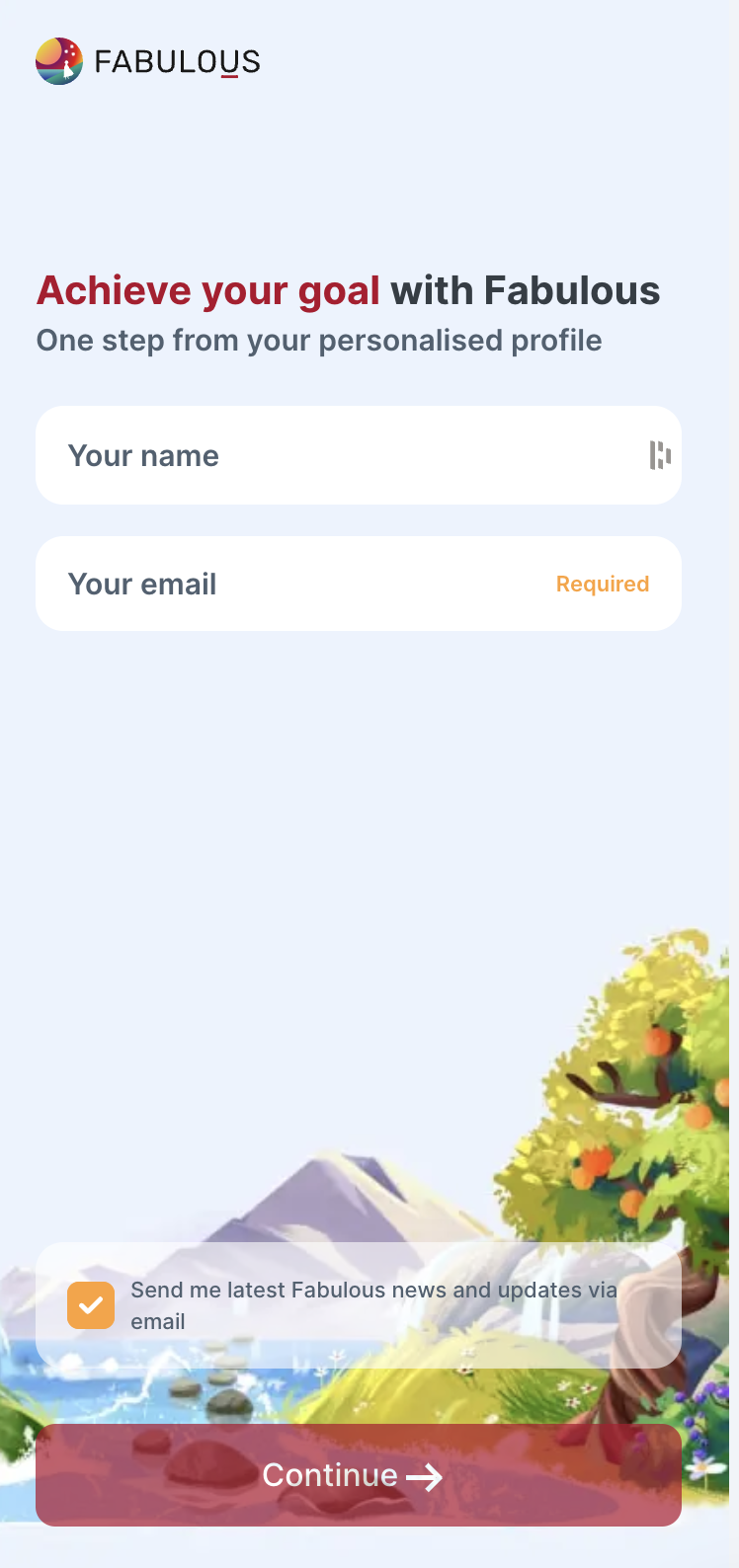
Step with a logo & send-update chekbox & backgrounds
{
    "type": "confirmAccountWithEmailUpdates",
    "stepId": "step_4",
    "title": "<span style='color:#3425B8;'>Achieve your goal</span> <span style='color:#343D45;'>with Fabulous</span>",
    "subtitle": "One step from your personalised profile",
    "useHTML": true,
    "backgroundColor": "#F5F5FF",
    "innerBackgroundColor": "#FFFFFF",
    "backgroundImage": "https://c.thefab.co/web-onboarding/fabulous/name-email-var2-sun-mobile.jpg",
    "desktopBackgroundImage": "https://c.thefab.co/web-onboarding/fabulous/name-email-var2-sun-desktop.webp",
    "showLogo": true,
    "logoWidth": "144px",
    "logoHeight": "24px",
    "logoUrl": "https://c.thefab.co/web-onboarding/fabulous/fab-logo-black.svg",
    "showSendUpdates": true,
    "sendUpdatesText": "Send me latest Fabulous news and updates via email",
    "sendUpdatesTextColor": "#4F6171",
    "sendUpdatesBackgroundColor": "rgba(255, 255, 255, 0.6)",
    "ctaText": "Continue",
    "ctaColor": "#3425B8",
    "ctaTextColor": "#FFF",
    "textColor": "#4F6171",
    "emailPlaceholderText": "Your email",
    "namePlaceholderText": "Your name",
    "inputPlaceholderColor": "#4F6171",
    "inputBackgroundColor": "#F5F5FF",
    "invalidEmailMessage": "Please enter a valid email address.",
    "requiredText": "Required",
    "requiredTextColor": "#FFA133",
    "waitText": "Please wait...",
    "checkboxBackgroundColor": "#fff",
    "checkboxBorderColor": "#FFF",
    "selectedCheckboxBackgroundColor": "#FFA133",
    "innerMobileBackgroundColor": "transparent"
}
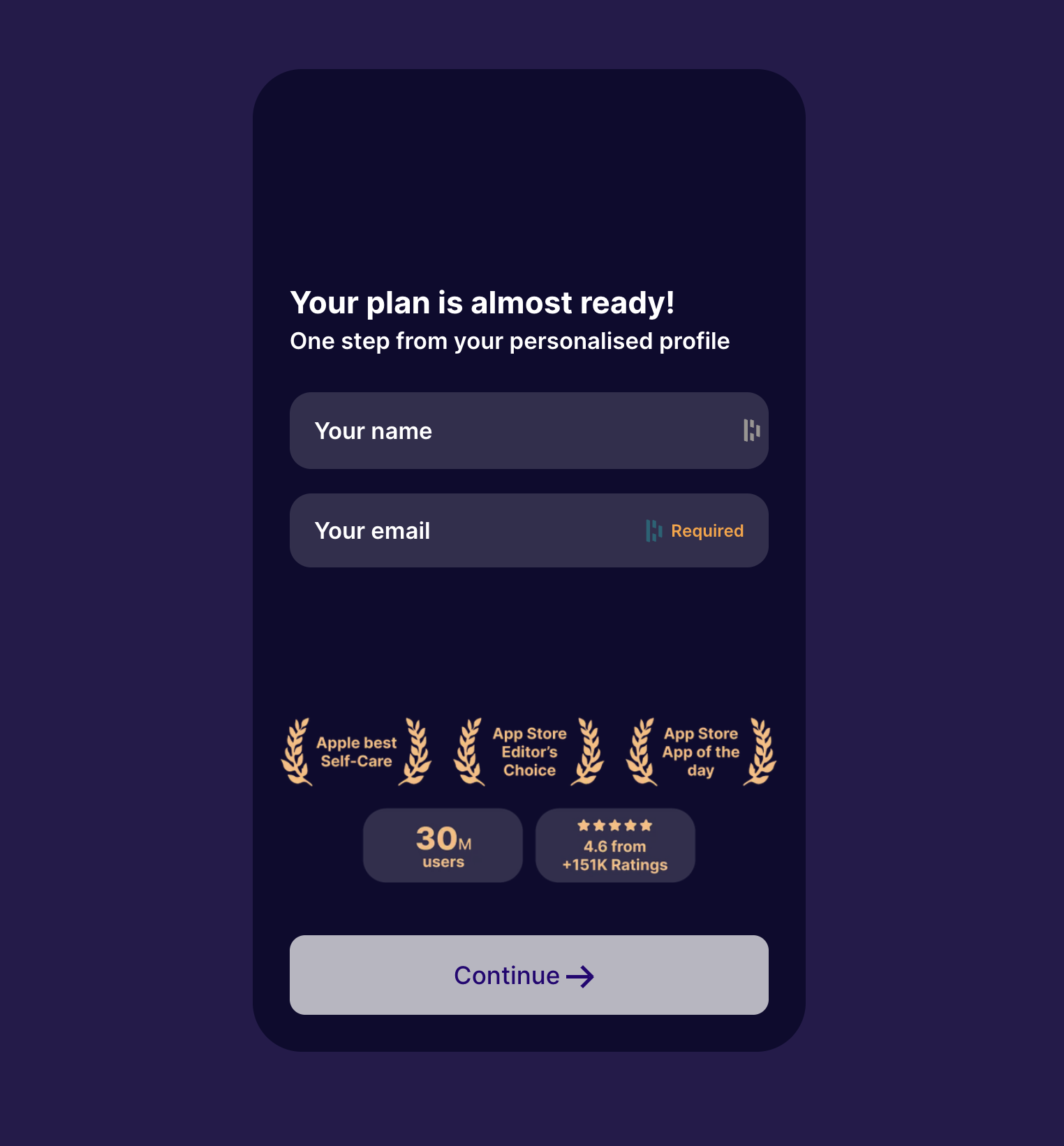
Step with only the awards image
{
    "type": "confirmAccountWithEmailUpdates",
    "stepId": "step_1",
    "title": "Your plan is almost ready!",
    "subtitle": "One step from your personalised profile",
    "useHTML": false,
    "showSendUpdates": false,
    "backgroundColor": "#261B4C",
    "innerBackgroundColor": "#0E0B2F",
    "showLogo": false,
    "ctaText": "Continue",
    "ctaColor": "#FFF",
    "ctaTextColor": "#2F0191",
    "textColor": "#FFF",
    "emailPlaceholderText": "Your email",
    "namePlaceholderText": "Your name",
    "inputPlaceholderColor": "#FFFFFF",
    "inputBackgroundColor": "rgba(255, 255, 255, 0.15)",
    "invalidEmailMessage": "Please enter a valid email address.",
    "requiredText": "Required",
    "requiredTextColor": "#FFA133",
    "waitText": "Please wait...",
    "awardsUrl": "https://c.thefab.co/web-onboarding/fabulous/awards.png",
"shouldFadeIn": false
}