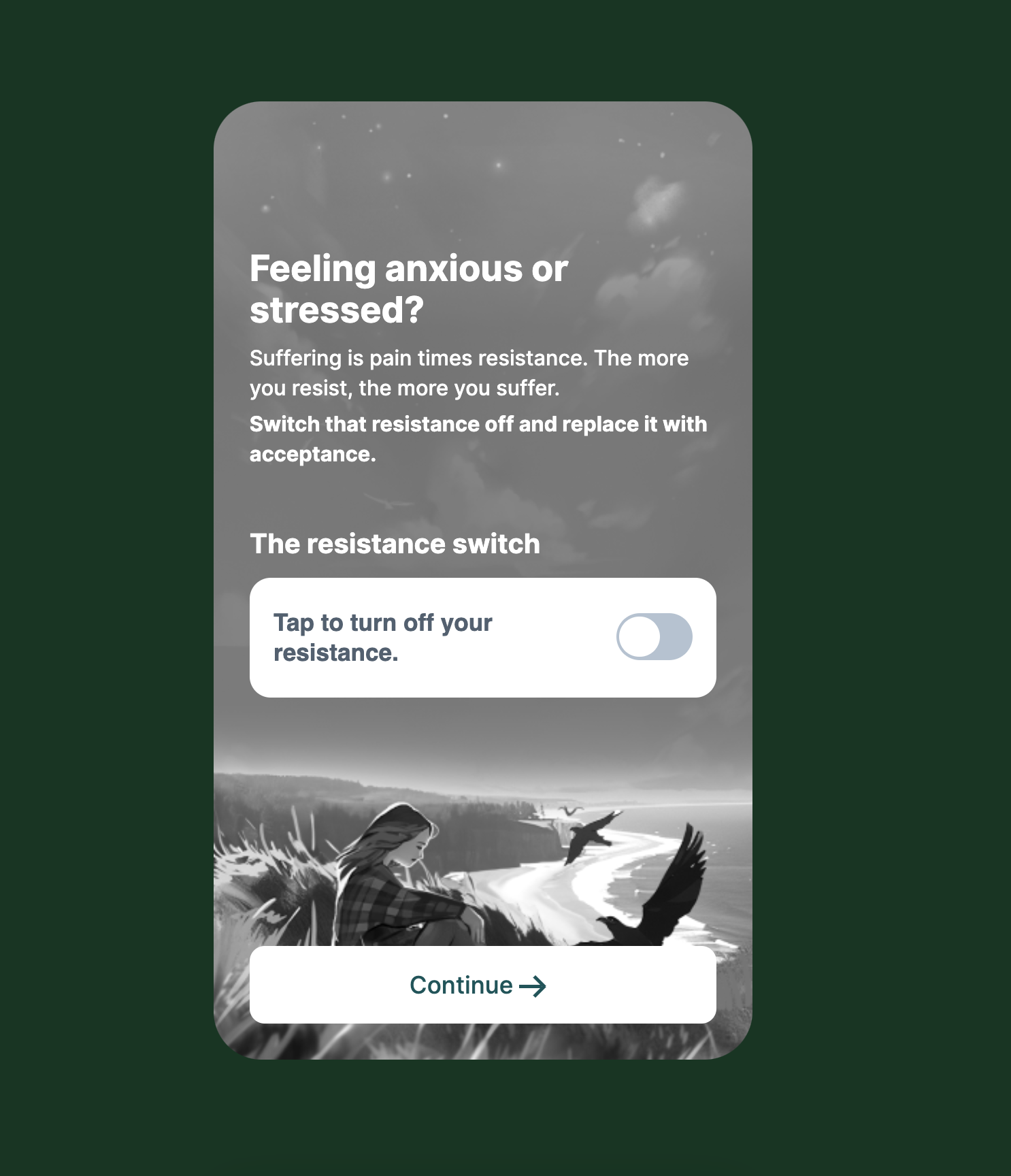
Webview
webview can be one of 3 types:
- Step that redirects to an external link.
- Step that has a floating button that redirects to external links.
- Step that has an embedded link to be part of the onboarding.
[!IMPORTANT] The difference between the first two steps and the last one is that the first two must be at the last step of the onboarding but the last one must not be the last step.
Shared webview fields
| Key | Notes |
|---|---|
type | webview |
stepId | Unique stepId |
backgroundColor | The background color of the page |
Step that redirects to an external link
| Key | Notes |
|---|---|
redirectTo | The link to redirect the user to after the onboarding (it’s usually a checkout or PWYW page) |
// this is a step that will redirect to an external link
 // it should be the last step of the onboarding
 {
    "type": "webview",
    "stepId": "webviewPremium49",
    "backgroundColor": "#8AD2C8",
    "redirectTo": "https://time.thefabulous.co/payment/time/pwyw"
}
[!WARNING] If
redirectTolink exists in that step, the user will be redirected to that link.
[!NOTE]
redirectToshould have the links of the subdomains if it’s redirecting to one of the fabulous page. Here for example, we usedtimeas a subdomain to redirect to the Clarify PWYW page.These subdomains are:
start: start.thefabulous.co - Fabulous.elixir: elixir.thefabulous.coshape:shape.thefabulous.cotime: time.thefabulous.co - Clarify.mind: mind.thefabulous.co
Step that has a floating button that redirects to external links
| Key | Notes |
|---|---|
url | The link/page to embed |
showFullScreen | If set to true, it’ll have the full width and height of the screen |
showWebfloatingButtonDelay | The delay of showing the CTA button. (set it to 0 to show the button immediately). It’s in milli seconds - e.g. 5000 will wait 5 seconds to show the CTA button. |
webfloatingButtonLink | The link to redirect the user to after the onboarding (it’s usually a checkout or PWYW page) |
ctaText | |
ctaColor | |
ctaBackgroundColor | |
ctaHoverBackgroundColor | The background of the CTA on hover |
bottomViewColor | The background color of the CTA wapper on small devices. |
bottomViewBoxShadow | Adds a box shadow for the bottom view on mobile devices. It can be used when the page’s background color has the same color as the bottomViewColor |
paddingBottom | Used if we want to increase the padding of the CTA on the desktop. Example paddingBottom:70px |
 {
    "type": "webview",
    "stepId": "webviewPremium49",
    "url": "https://c.thefab.co/web-onboarding/fabulous/webview/science-of-fabulous-en.html",
    "ctaText": "Continue",
    "showWebfloatingButtonDelay": 5000,
    "showFullScreen": true,
    "webfloatingButtonLink": "https://www.thefabulous.co/payment/pwyw/pwyw-new-pop-up?upsellPath=/journey/upselling/personalized-coaching-plan-1&upsellPath2OnSkipPath1=/journey/coaching/personal-coaching-3&discount=25",
    "ctaColor": "#FFF",
    "ctaBackgroundColor": "#251C93",
    "bottomViewColor": "#FFF",
    "backgroundColor":"rgb(254, 124, 106)"
}


Step that has an embedded link to be part of the onboarding
| Key | Notes |
|---|---|
url | The link to embed |
ctaText | |
ctaBackgroundColor | |
ctaColor |
  {
      "type": "webview",
      "stepId": "the_resistence",
      "url": "https://c.thefab.co/mind/onboarding/video/the_resistance.html",
      "ctaText": "Continue",
      "ctaBackgroundColor": "#FFFFFF",
      "ctaColor": "#00555A"
  },